Why Screen Studio makes your MacBook run hot
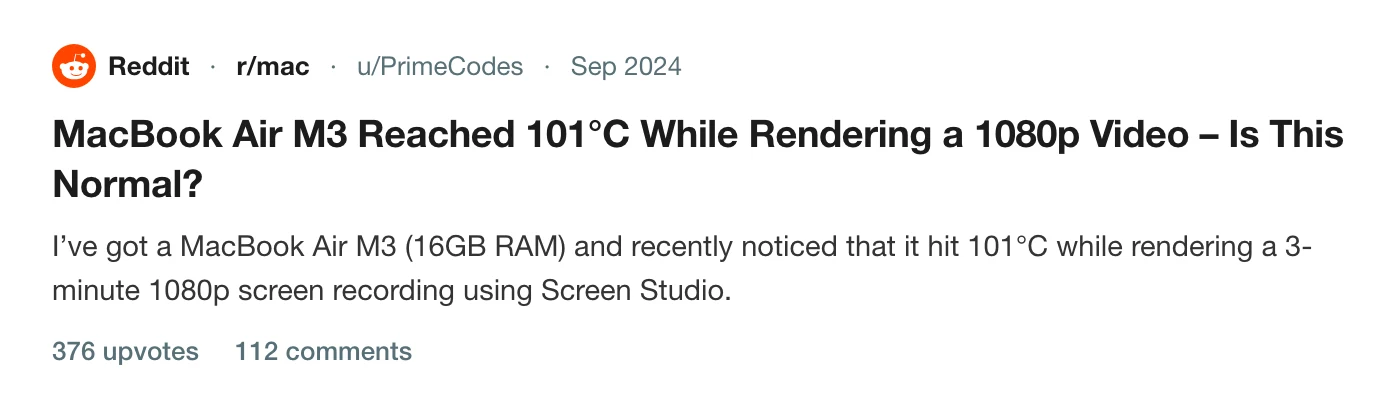
A r/mac thread with 376 upvotes shows a MacBook Air M3 reaching 101°C while Screen Studio rendered a 3-minute 1080p export. What the poster measured, why exports are heavy, and what to change.

A fanless laptop doing sustained video work gets warm. How warm, and whether the app is the reason, is what a thread on r/mac with 376 upvotes was trying to work out.
What the poster measured
The poster had a MacBook Air M3 with 16 GB of memory. They noticed it hit 101°C while rendering a 3-minute 1080p screen recording in Screen Studio. A few other things were running: two Chrome tabs, Activity Monitor, a terminal and an idle editor, plus background utilities. The room was about 25°C.
Their sensor readings showed the CPU efficiency cores at around 96 to 101°C, with an average CPU temperature of 97°C. They attached a screenshot of the readings and asked whether that was normal for an M3 Air under load.
It is one machine and one clip from September 2024, so it does not tell you what your Mac will do with the current version. It does show the shape of the complaint: a short recording, a long and hot export.
Why exports run hot
An export has to compose and encode every frame. A 3-minute clip is 5,400 frames at 30 frames a second and 10,800 at 60 (see frame rate), each with the screen, the zoom, the background and the cursor drawn onto it, then compressed.
A MacBook Air has no fan. It sheds heat through its body, so under sustained load it climbs until the system slows itself to stay inside a safe range. That is the system protecting itself. It does mean a long export on an Air is a different job from the same export on a Pro.
What to change
- Put it on a hard, flat surface. A bed or a lap blocks the one path heat has out.
- Plug it in and keep the lid open.
- Close other apps that are working in the background.
- Draft at a lower resolution. A 1080p copy at 30 fps for review is a fraction of the work of a final 4K one, so you only pay the heat cost once.
- Export in sections if you can, and let it cool between them.
If the heat comes with a very long wait, why Screen Studio exports take so long covers the time side. Cap's CPU and memory use is the same complaint about the recording step, and Screen Studio zooms too much is the page for the effect that makes each frame more work.
For other options, see the best Screen Studio alternatives for Mac.
What Prequel does
Prequel encodes with VideoToolbox, the Mac's hardware video encoder, and composes each frame with Metal. A hardware encoder does its work on dedicated silicon and leaves the processor cores free for everything else.
I cannot promise your Mac stays cool, because that depends on the clip, the size and the room. The test is to export one of your own recordings during the trial with a temperature app open.

Export one recording and watch the temperature yourself.
Prequel needs an Apple Silicon Mac on macOS 14 or later. Download Prequel for Mac and try it free for 7 days, with no watermark on anything you export. After that it is $9 a month or $29 once. See what it costs.
Frequently asked questions
- Why does my MacBook get so hot when I export a screen recording?
- An export composes and encodes every frame, which keeps the processor and video encoder busy for the whole render. A MacBook Air has no fan, so a long export raises its temperature until the system slows itself down to protect the chip.
- Is 101°C normal for a MacBook Air during export?
- The poster on r/mac asked exactly that. They measured CPU efficiency cores at 96 to 101°C and an average CPU temperature of 97°C while rendering a 3-minute 1080p recording in Screen Studio, in a 25°C room, and were worried by it.
- How do I stop my Mac overheating while exporting video?
- Put it on a hard, flat surface, plug it in, close other apps, and export a lower resolution while drafting. For a fanless Air, expect a long 4K export to run warm however it is done.
- Does Prequel use the video encoder?
- Yes. Prequel encodes with VideoToolbox, the Mac's hardware video encoder, and composes frames with Metal. It needs an Apple Silicon Mac on macOS 14 or later.
Keep reading
- Why Screen Studio exports take so longUsers report a 10-minute recording taking about half an hour to export. What they say, what drives export time in any Mac recorder, what you can change, and how Prequel renders on the Mac's video hardware.
- Why Cap uses so much CPU and memory while recordingCap's issue about memory climbing past 5 GB has been open since October 2024 with a $350 bounty. What the maintainers reproduced, three related CPU and heat reports that were closed as reworked, and how to check your own recording.
- Screen Studio zooms too much: how to calm it downUsers on Hacker News and Reddit describe constant zooming as distracting and dizzying. What they said, and how to lower the level, slow the move, delete the zooms you do not want or swap them for a loupe in Prequel.