Screen Studio zooms too much: how to calm it down
Users on Hacker News and Reddit describe constant zooming as distracting and dizzying. What they said, and how to lower the level, slow the move, delete the zooms you do not want or swap them for a loupe in Prequel.

Automatic zoom is the feature people buy a recorder for, and the one a surprising number of them end up turning down. The complaint is the same in every thread: it moves too much.
What people say
In a Hacker News thread about an open-source Screen Studio alternative, one commenter wrote: "I must be in the minority but I find that constant panning/zooming to be very distracting and almost dizzying. The sharp start of the easing curves is pretty awful too. I'm surprised people like it. I'd probably do it with arrows or fading out parts of the screen instead."
Read the comment on Hacker News
A reply from someone who pays for a recorder agreed in part: "I would love the ability to do more highlighting and less panning." They said that in a small video, zooming is necessary to show where the action is, and that recording editors lack arrows, callouts or a freeze frame, so they plan the recording to the letter and sometimes do ten takes.
On r/macapps, a user of about a year's standing wrote that they no longer wanted to constantly zoom in and out because it was really distracting.
Read the thread on Hacker News
Why it feels like too much
A zoom is added for every click. In a demo with 30 clicks that is 30 moves, and the eye follows each one. Three things make a move feel bigger than it is: how far it goes in, how quickly it starts, and how often it repeats.
That gives you three controls to turn down, and the order to do it in.
How to calm it down in Prequel
Prequel adds zooms on its own the first time a recording opens, one for each place you clicked or typed. Each one is a block in the zoom row under the clips.

Select a zoom and open the Zoom tab.
- Level. Lower it. A shallower push is less to follow.
- Speed. Lengthen the push in and pull out. A slow move reads as calm and a fast one as a jolt.
- Ease. Choose Slow in or Slow out, or drag the curve. This is the "sharp start" that the Hacker News commenter objected to.
- Delete the ones you do not need. Select a zoom and press Backspace. Fewer, better-placed zooms are the biggest change.
- Follow. Set it to Region to hold a fixed area.
Or leave the picture where it is
Set Method to Loupe, and nothing moves. A glass lens comes down over the thing you are pointing at, magnifies it, and leaves the rest of the screen readable. It takes its level, speed and ease from the same tab.
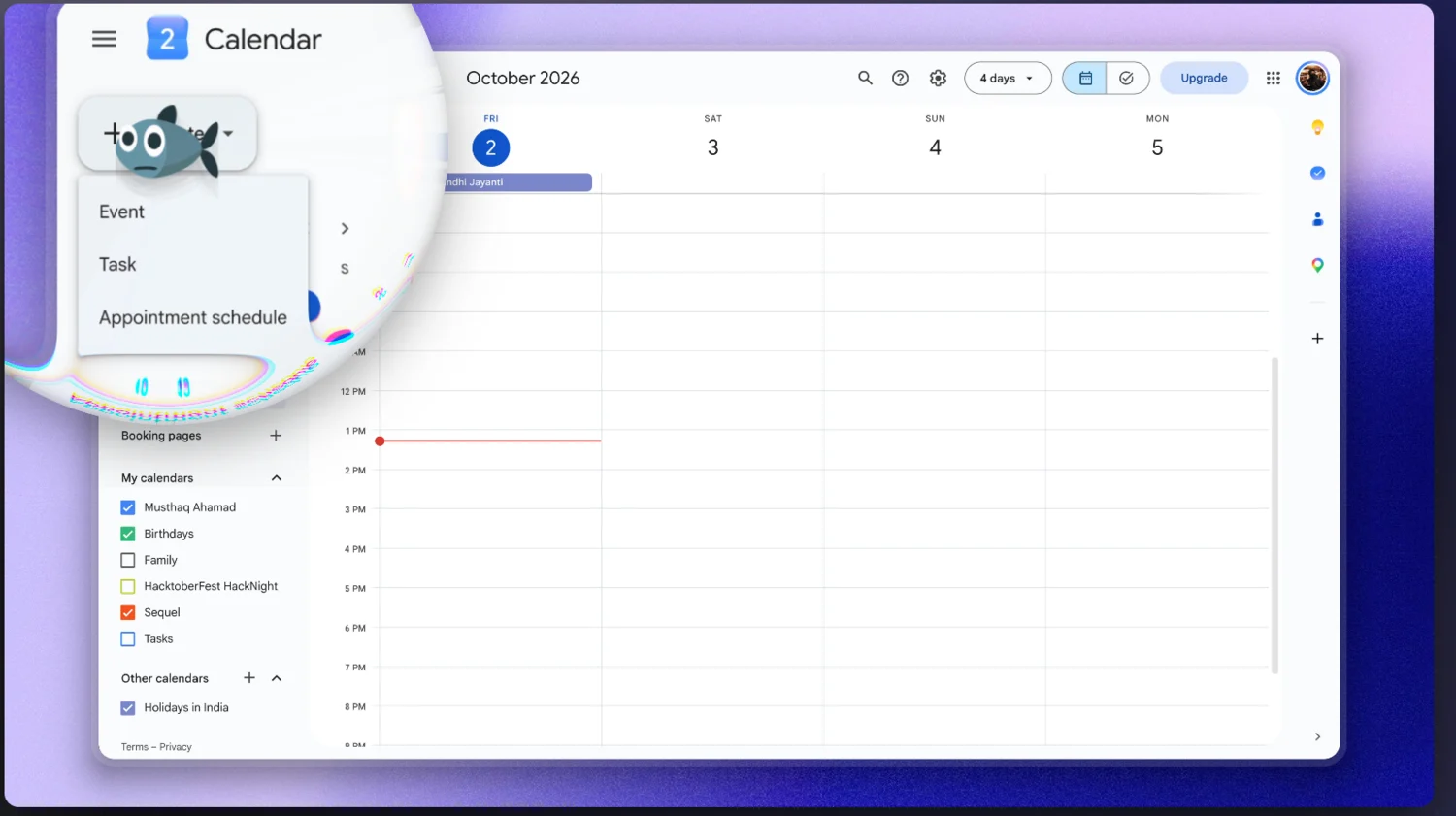
The Glass tab sets how the lens looks, with curvature, fringing and reflection. The zooms page lists every control, and zoom and pan explains the terms. For more tools with automatic zoom, see screen recorders with automatic mouse zoom for Mac.
Related
If Screen Studio's zooms made the export longer, why Screen Studio exports take so long is next. Why it runs hot is the same effect seen on the hardware. If you are weighing the price, Screen Studio without a subscription and the lifetime licence cover it.
Open a recording in Prequel and turn the zooms down to taste.
Prequel needs an Apple Silicon Mac on macOS 14 or later. Download Prequel for Mac and try it free for 7 days, with no watermark on anything you export. After that it is $9 a month or $29 once. See what it costs.
Frequently asked questions
- Why is the automatic zoom in my screen recording so distracting?
- Automatic zoom places a push-in on every click, so a demo with many clicks has many moves. Users on Hacker News and Reddit called the constant panning and zooming distracting and almost dizzying. Fewer, slower and shallower zooms read as calmer.
- How do I reduce the zoom level in a screen recording?
- In Prequel, select the zoom and lower Level on the Zoom tab, lengthen Speed so it eases in more slowly, and pick a gentler Ease such as Slow in or Slow out. Press Backspace to delete a zoom you do not want.
- Is there a zoom that does not move the whole picture?
- Yes. Prequel's Loupe method lays a magnifying glass on the frame, so the rest of the screen stays where it is and stays readable. Set Method to Loupe on the Zoom tab.
- Does Prequel add zooms automatically?
- Yes. The first time a recording opens, Prequel adds a zoom for each place you clicked or typed, if the Accessibility permission was granted while recording. You then edit, move or delete any of them. It needs an Apple Silicon Mac on macOS 14 or later.
Keep reading
- Why Screen Studio exports take so longUsers report a 10-minute recording taking about half an hour to export. What they say, what drives export time in any Mac recorder, what you can change, and how Prequel renders on the Mac's video hardware.
- Why Screen Studio makes your MacBook run hotA r/mac thread with 376 upvotes shows a MacBook Air M3 reaching 101°C while Screen Studio rendered a 3-minute 1080p export. What the poster measured, why exports are heavy, and what to change.
- Screen Studio without a subscription: what your options areScreen Studio is $29 a month, or $9 a month billed yearly, with no free tier and export behind the paywall. The four options if you do not want a subscription, including the one for a project already recorded.
- Screen Studio's lifetime licence is one year of updatesScreen Studio's one-time licence stays valid, but access to updates ends. What Screen Studio says, what holders report on r/macapps and Hacker News, what is not documented, and what a buy-once licence means elsewhere.