Editing
Zooms
Pushing into the work: automatic zooms, adding your own, the loupe, and the angle and focus of each.
Where zooms come from
Prequel adds zooms on its own the first time a recording opens, one for each place you clicked or typed. That needs the Accessibility permission to have been granted while recording. The wand in the editor's header runs the pass again for anything not already covered.
You can add your own in three ways:
- Press Z, or click Add Zoom in the transport, to add one at the playhead.
- Drag across an empty stretch of the zoom row, under the clips, to draw one.
- Right-click an existing zoom and choose Duplicate.
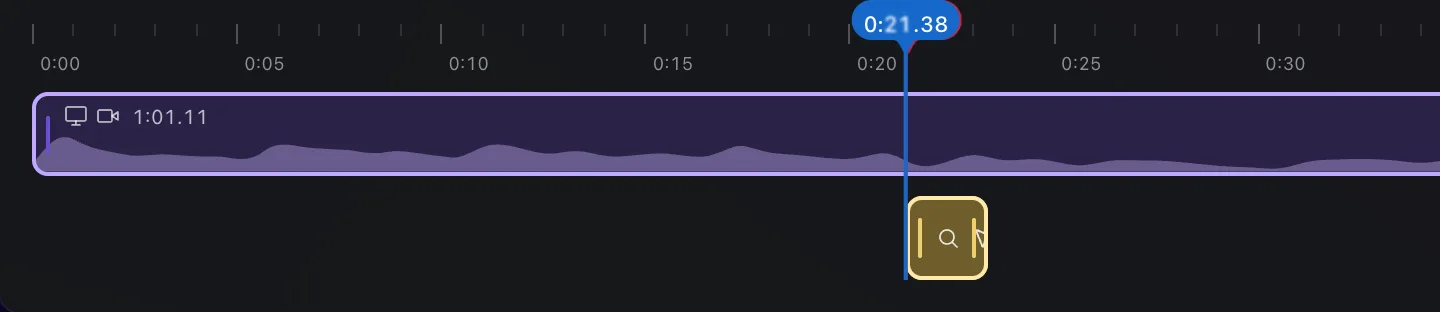
Drag a zoom to move it, drag its ends to change how long it lasts, and press Backspace to delete the selected one. Every change plays the zoom's span once in the composition so you can see what it did.
The Zoom tab
Selecting a zoom swaps the Inspector for the zoom's own tabs.
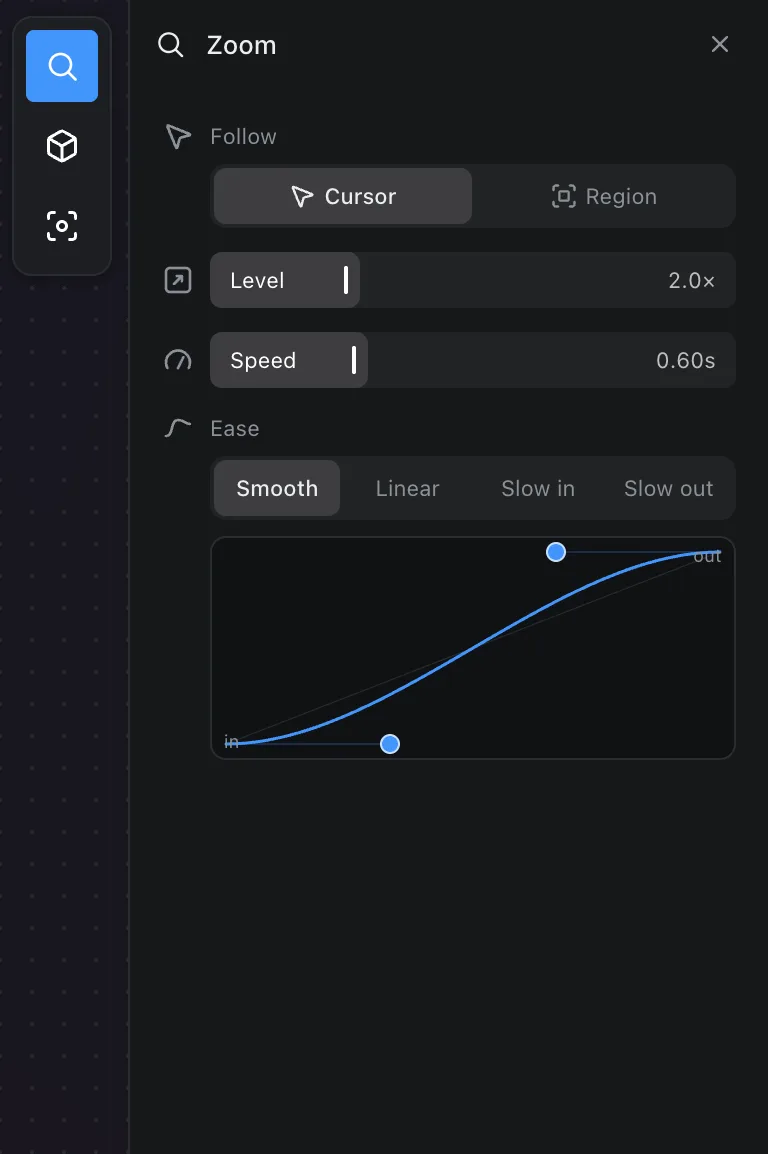
- Follow: Cursor keeps the pointer in view as the zoom moves with it; Region holds a fixed area you choose on the map.
- Method: Camera pushes the whole picture in. Loupe lays a magnifying glass on the frame instead. Fisheye holds that glass in the middle of the picture and brings what it follows under it.
- Lens, under Loupe or Fisheye, is how wide the glass is.
- Level is how far in to go.
- Speed is how long the push in and pull out take.
- Ease: Smooth, Linear, Slow in or Slow out, with a curve you can drag for anything in between.
The Loupe
Set Method to Loupe and the picture stays where it is. A glass lens comes down over the thing you are pointing at, magnifies it, and leaves the rest of the screen readable. Where the glass thickens at its rim the picture stretches and splits into colour, the way it does through the edge of real glass.
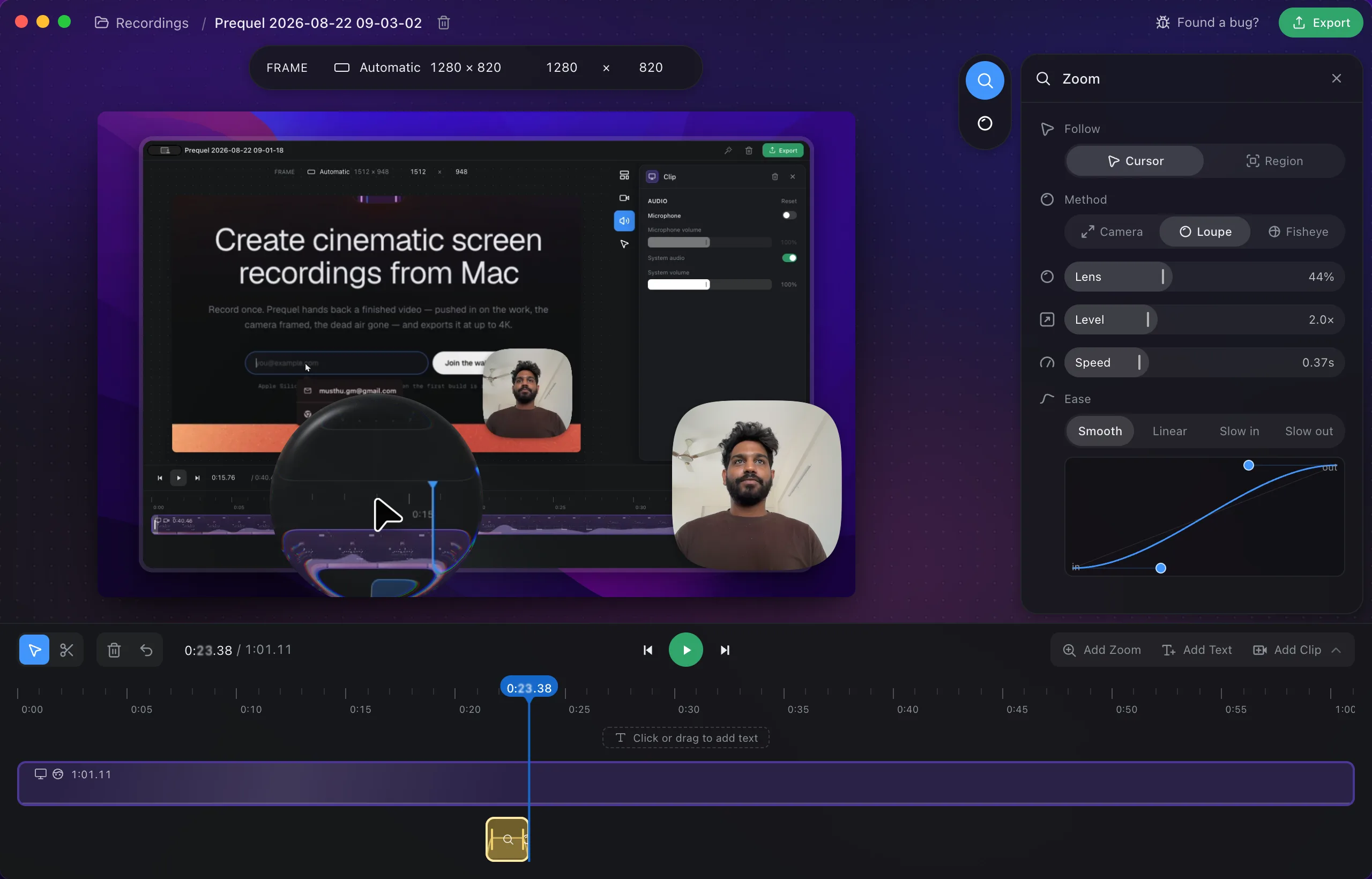
It follows the cursor or holds a region, and takes its level, speed and ease from the Zoom tab like any other zoom. The Glass tab is what sort of lens it is.
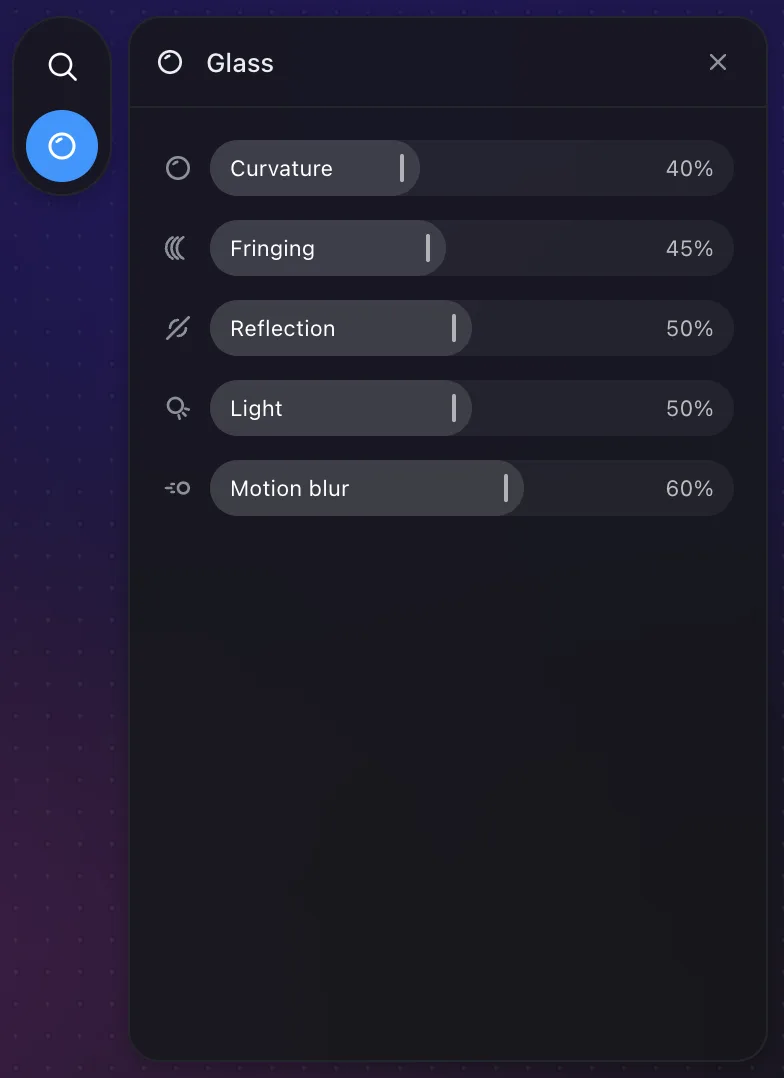
- Curvature is how much of the lens is edge: flat almost to the rim at the bottom, stretching the outer half of the picture round at the top. Under Fisheye it is Angle instead — how wide the lens sees.
- Fringing splits colour at the edge, the way a real lens does.
- Reflection is the shine on the glass and what its rim mirrors.
Motion blur, on the Zoom tab, smears what is inside the glass as the lens travels. The glass itself stays sharp — what moves against the frame is what you are looking through it at.
A loupe does not tilt and has no depth of field, so the Angle and Focus tabs below belong to the Camera method.
The Fisheye
Set Method to Fisheye and the lens stops travelling. It sits in the middle of the picture and stays there, and what you are pointing at is brought under it — so the cursor is dead centre in the glass wherever it goes, and the screen bends away around it.
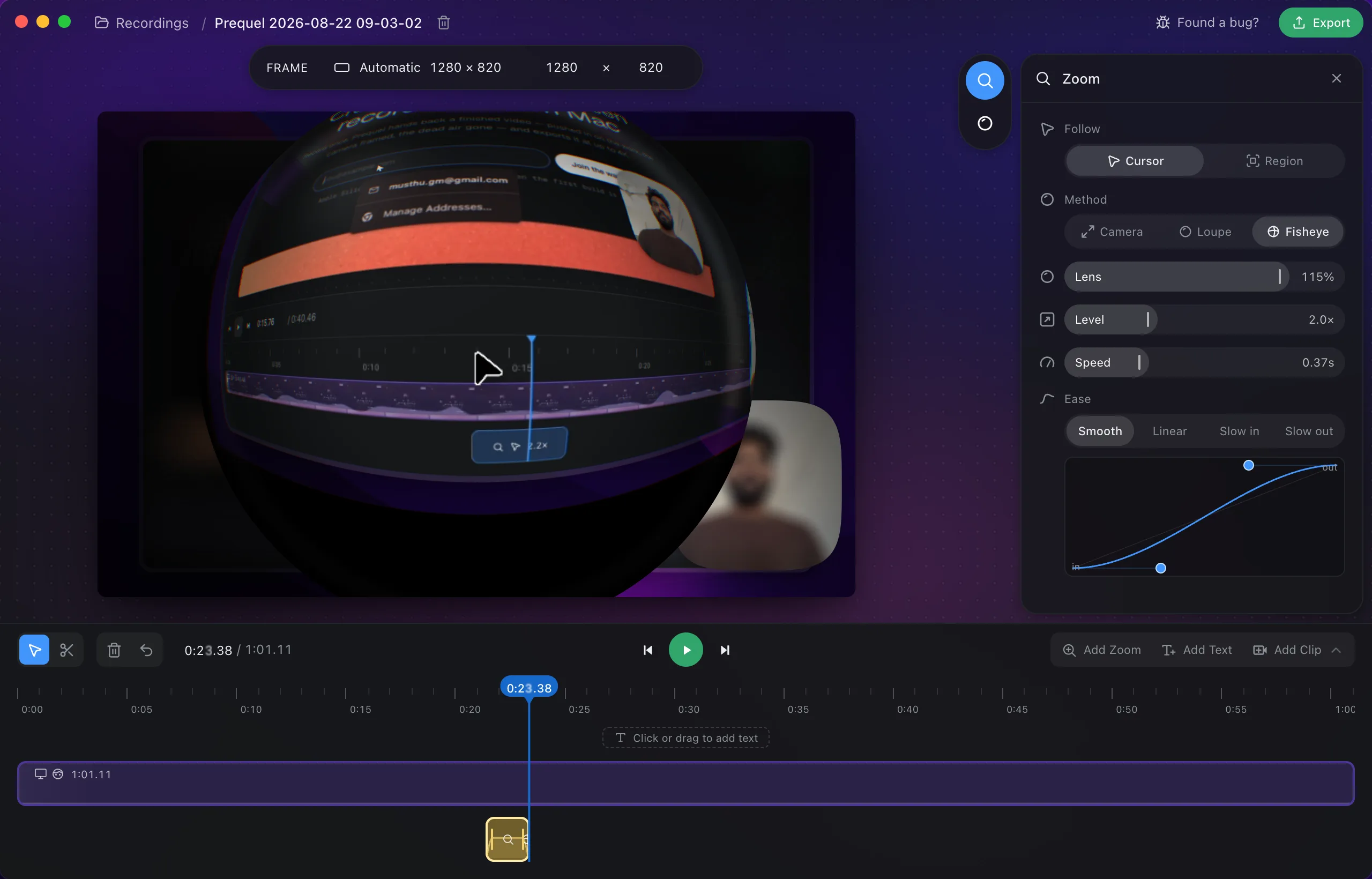
It is a real fisheye, not a magnifier in the middle: every straight line in the recording bows, and the edge of the circle squeezes in far more of the screen than the middle does. Everything outside the glass — the rest of the screen, the camera, the background — goes dark and out of focus while the lens is down, and a faint ring of light picks up the colour of whatever the lens is over where the glass meets its mount.
It takes the same Follow, Level, Speed and Ease as any other zoom, and the same Glass tab as the Loupe — where Curvature becomes Angle, how wide the lens sees, from 60° to 160° across.
The Angle tab
A zoom can tilt the picture in three dimensions as it pushes in.
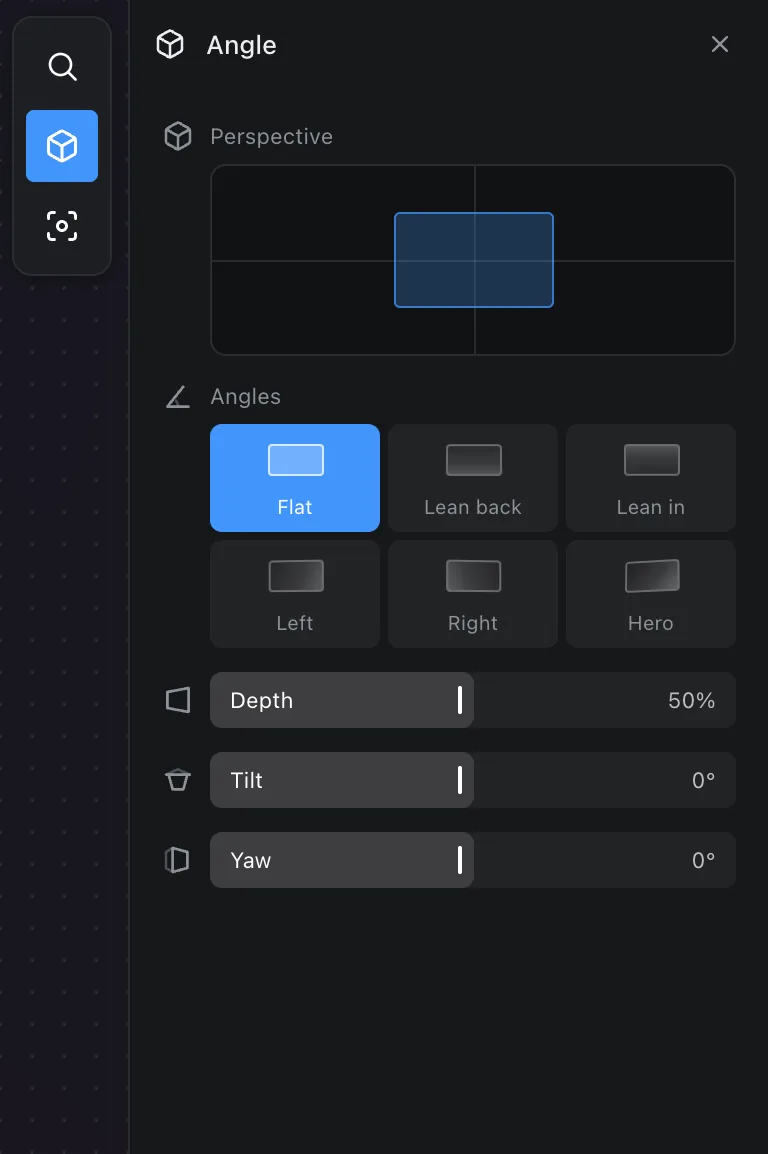
- Perspective presets: Flat, Lean back, Lean in, Left, Right and Hero.
- The Angles pad sets tilt and yaw together by dragging.
- Depth, Tilt and Yaw set each on its own.
The Focus tab
- Blur around softens everything outside a sharp region while the zoom is in.
- Sharp area sets how large that region is, and Strength how soft the rest becomes.
- Vignette darkens the edges.
Frequently asked questions
- How do I add a zoom by hand?
- Press Z or click Add Zoom to add one at the playhead, drag across an empty stretch of the zoom row to draw one, or right-click an existing zoom and choose Duplicate.
- Can a zoom follow the pointer?
- Yes. Set Follow to Cursor and the zoom moves with the pointer. Set it to Region to hold a fixed area you choose on the map.
- What is the Loupe method?
- A magnifying glass that sits on the frame instead of pushing the whole picture in. The rest of the screen stays where it is and stays readable. Set Method to Loupe, then size the lens and set its curvature, fringing and reflection on the Glass tab.
- What do Angle and Focus do?
- Angle tilts the picture in three dimensions as the zoom pushes in, with presets like Lean in and Hero. Focus blurs everything outside a sharp region and can darken the edges with a vignette.