Getting started
Permissions
The four grants macOS asks for, what each is used for, and why two of them need a relaunch.
The four permissions
macOS asks for each of these separately, and Prequel asks only for what you are about to use.
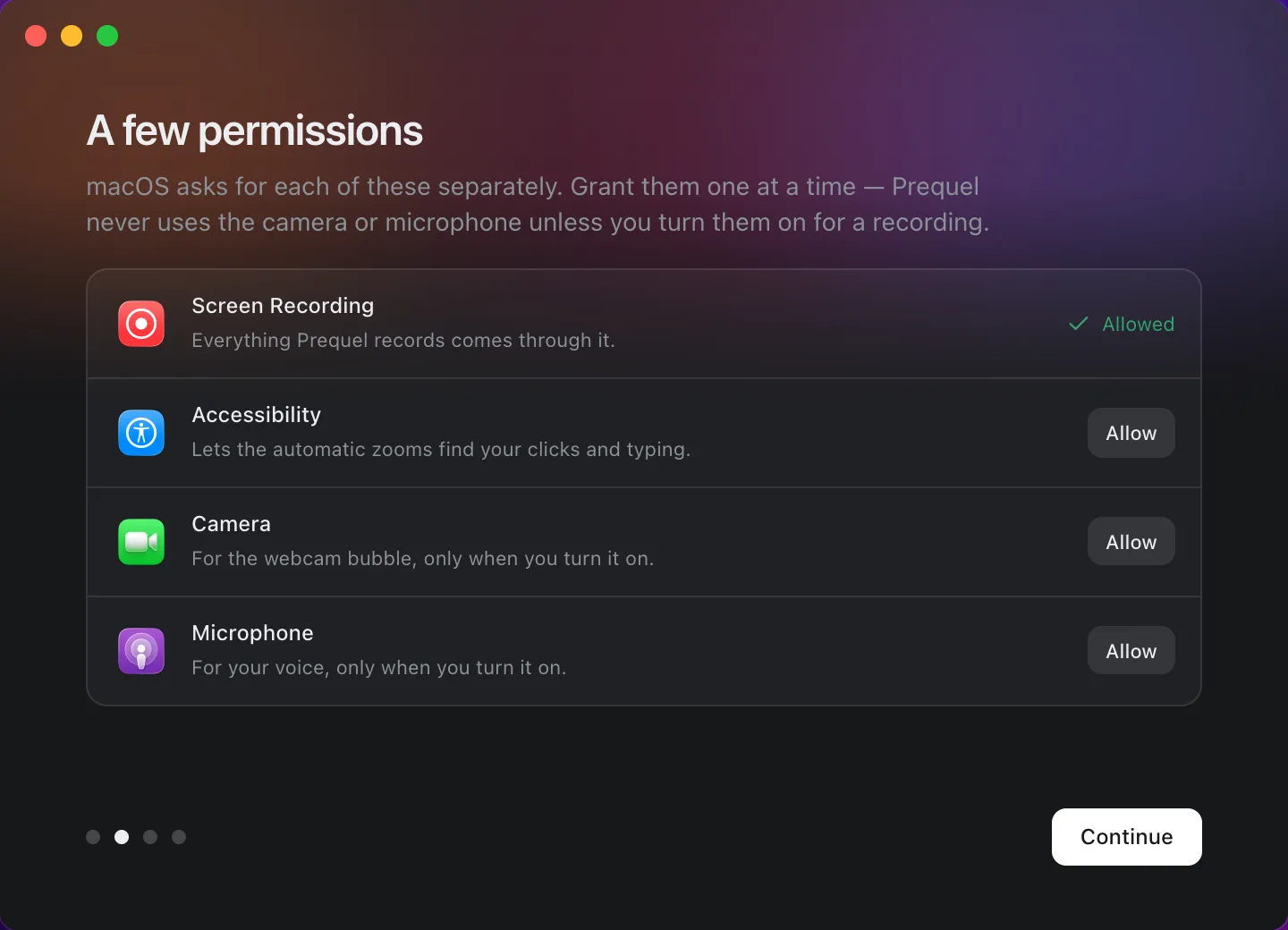
| Permission | What it is for | Without it |
|---|---|---|
| Screen Recording | Everything Prequel records comes through it. | Nothing can be recorded at all. |
| Accessibility | Lets the automatic zooms find your clicks, and gives the click sounds their timing. | Clicks are not captured, so automatic zooms have nothing to find and there are no click sounds. |
| Input Monitoring | Lets Prequel notice when a key is pressed — a moment and whether it was a letter, the space bar, Return, Delete or a modifier, never which letter. This is what typing sounds are made from, and what hides the pointer while you type. | Typing is not noticed, so there are no typing sounds and the pointer stays over what you type. |
| Camera | The webcam bubble, only when you turn the camera on. | Your camera is switched on but does not appear in the recording. |
| Microphone | Your voice, only when you turn the microphone on. | Your microphone is switched on but is not heard. |
Prequel never opens the camera or the microphone unless you turn them on for a recording.
Granting them
The welcome window lists all four with an Allow button beside each. Each button opens the matching pane in System Settings, or triggers the system prompt where macOS offers one. The same list is in Settings under Permissions, so you can come back to it at any time.
Screen Recording and Accessibility need a relaunch
macOS tells an app about these two grants only when it launches. If you allow Screen Recording or Accessibility while Prequel is running, the app still believes it is missing until you restart it.
The dock knows this. When something a recording needs is missing, an amber warning appears at the right end of the dock. Its menu lists what to allow and ends with Restart Prequel, which relaunches the app so it can read the new grant.

What "missing" means
The warning appears only for a permission the next recording would actually use. A camera that is switched off needs no camera grant, so the dock does not complain about one.
Frequently asked questions
- I allowed Screen Recording but Prequel still says it is missing. Why?
- macOS reports Screen Recording, Accessibility and Input Monitoring to an app only when it launches. Quit Prequel and open it again, or use Restart Prequel in the dock's warning menu, and the grant is picked up.
- Do I have to grant the camera and microphone?
- Only if you want to record them. Prequel asks for each when you first turn the device on for a recording, and never opens either while you are not recording.
- What does Accessibility do for a screen recorder?
- It lets Prequel see where you clicked while recording, which is what the automatic zooms are built from. Without it the recording still works, but the first pass has nothing to place zooms on.
- Why does Prequel ask for Input Monitoring as well?
- macOS hands an app your clicks under Accessibility but your keys only under Input Monitoring. Prequel keeps a moment per key and roughly what kind of key it was — never which letter — so the editor can play typing sounds on the right beats and keep the pointer out of the way while you type. Passwords never reach it: macOS withholds every key from every app while a password field has focus.