Editing
Background
What sits behind the recording.
Three kinds
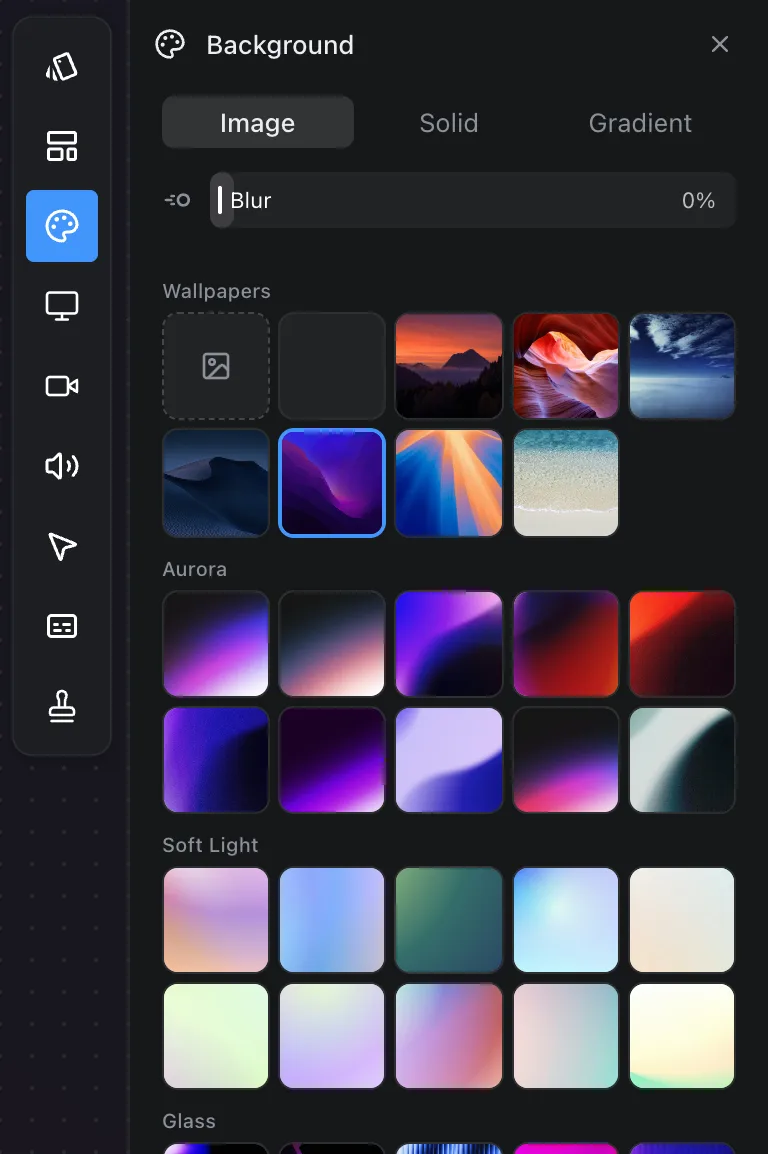
- Image: a picture. Prequel ships a catalogue of wallpapers in a few categories, downloaded as you choose them. My wallpaper uses your Mac's own desktop picture. Choose an image… opens any picture of your own.
- Solid: one colour from a grid, or Custom colour for any other.
- Gradient: two colours and an Angle.
Blur, shown under Image, softens the picture so the recording in front of it stands out.
Where the picture goes
A background image is copied into the recording's own folder when you choose it. That keeps a recording self-contained: move the folder to another Mac and it exports with the same picture. See Where files live.
Offline
The catalogue is fetched from prequel.sh. Without a connection the picker shows what has already been downloaded, and one wallpaper always ships inside the app so a fresh recording never opens on an empty background.
Frequently asked questions
- Can I use my own picture as the background?
- Yes. On the Image tab, Choose an image opens any picture of your own, and My wallpaper uses your Mac's current desktop picture.
- Where is the Blur control?
- Under the Image tab, beside the picture swatches. A solid has nothing to soften and a gradient is already smooth, so it is not offered on those tabs.
- Do backgrounds work offline?
- The catalogue is downloaded as you choose pictures, so offline you see what has already been fetched. One wallpaper always ships inside the app, so a fresh recording never opens on an empty background.