Editing
Camera
The shape, size, position, colour look, glass edge and border of your camera.
The panel
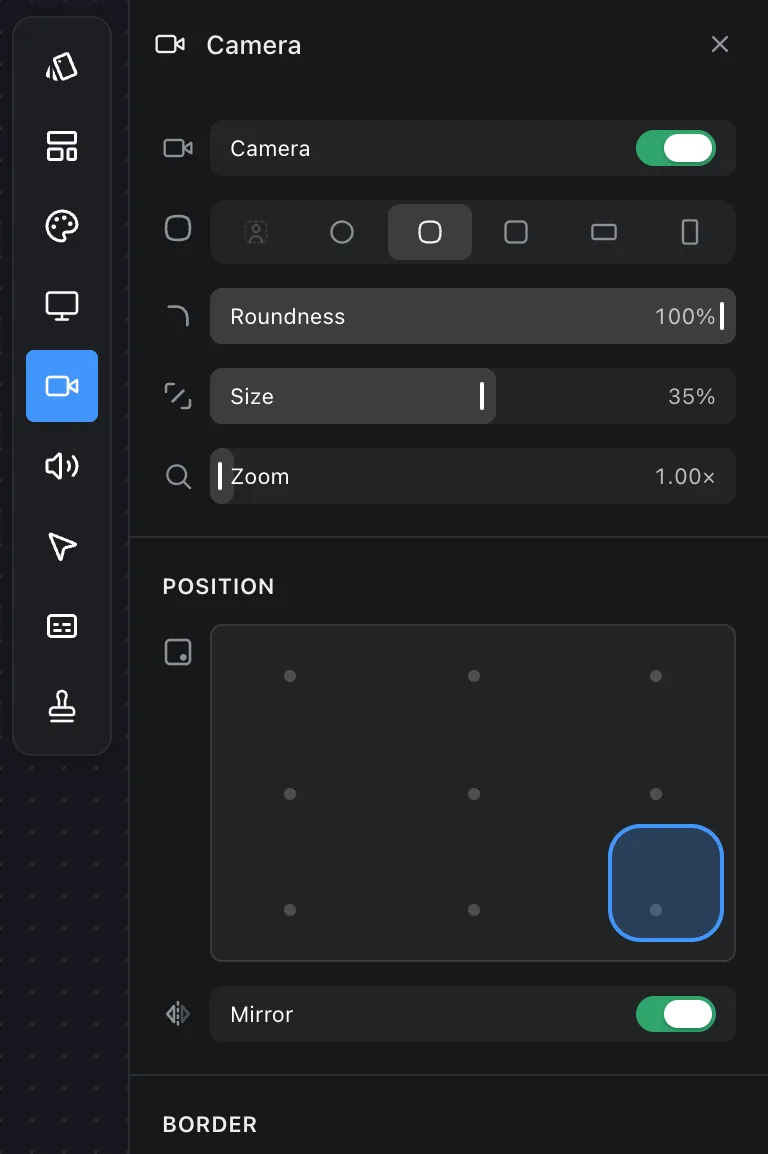
The Camera panel appears only for recordings that have a camera track.
- Camera turns it on or off in the composition. Off is not deleted; the track is still there to turn back on.
- Shape: Circle, Squircle, Rounded, Wide or Portrait, plus Remove background.
- Roundness rounds the corners of the rectangular shapes.
- Size is the camera's height as a share of the frame.
- Zoom enlarges the picture inside its shape, which crops the edges. Handy for sitting closer without moving.
Remove background
The first shape cuts you out of your surroundings, leaving just you over the composition's background. It works from a person matte recorded alongside the camera, so it is only offered on recordings made since the matte existed. On an older take the option explains why it cannot be used.
Position and mirror
The map at the bottom places the camera at one of nine positions in the frame. Dragging it in the composition is the other way, and gives you any position at all.
Mirror flips the picture so it matches what you see in a mirror, which is how most people expect to look. It is on by default.
Effects
A colour look on the camera alone, for when the room you recorded in was not kind to you. The screen beside it is untouched — it is lit by a display rather than by the light you were sitting in.
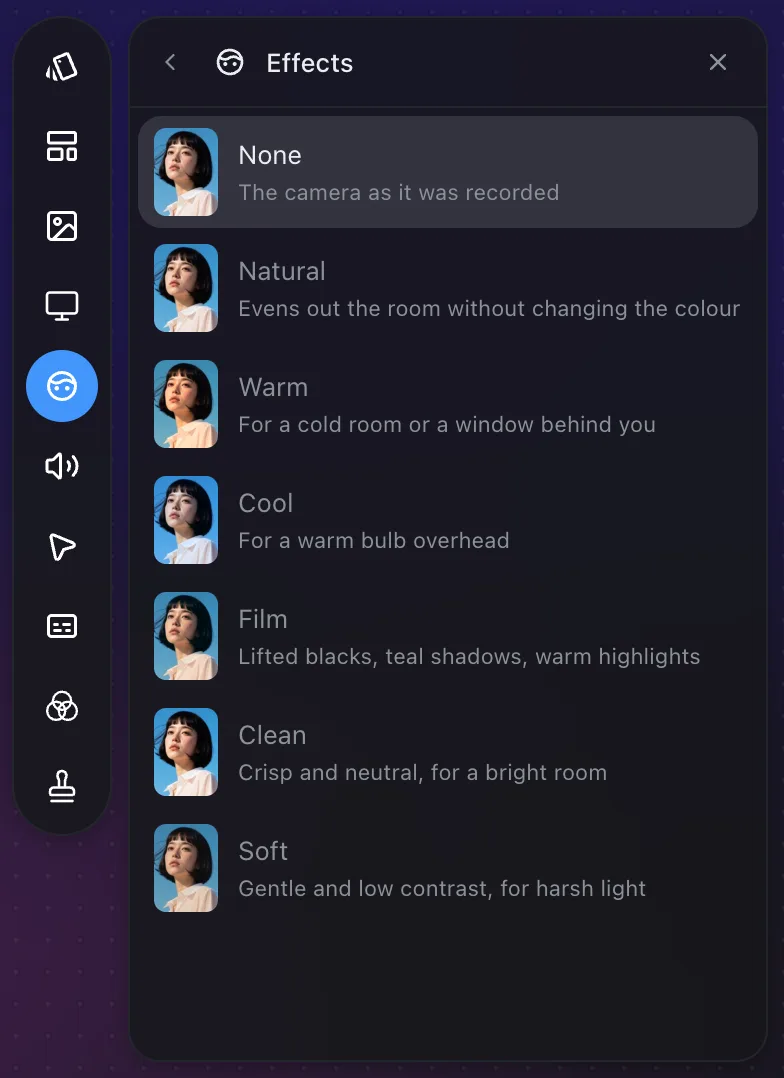
Each look carries a swatch showing it on a reference picture, so you can compare them side by side. Hover a look to see it on your own camera — the swatch says what a look does, the preview says what it does to you.
- Natural evens out the room without changing the colour.
- Warm is for a cold room, or a window behind you washing you out.
- Cool is for a warm bulb overhead turning you orange.
- Film lifts the blacks and splits the toning: teal shadows, warm highlights.
- Clean is crisp and neutral, for a room that is already lit well.
- Soft pulls the contrast down, for a ring light or a hard overhead.
Amount fades the look towards your untouched camera, and appears once you have picked one.
Every look is built for skin first. The saturation they add spares faces and lands on the room instead, so the picture comes up without you going orange.
Edge
Glass puts the zoom lens's edge on the camera. The band just inside the outline bends the picture, splits its colour and catches the light, so the bubble reads as thick glass rather than a picture cut to a shape.
Depth is how thick the glass is — how much of the camera's own radius rolls over. Fringing is how much colour it splits out at the edge. At nothing it still bends the picture and catches the light, which is what plain glass looks like.
The edge takes its colour from what it is over, so it comes up warm along a jumper and clear against a white wall.
It works on every shape, the one that follows you included. Remove background is the exception: there is no edge to put glass on when it is just you over the background.
Border
Width, Colour and Opacity draw an edge around the camera. Widths are a fraction of the frame, so the same value is a hairline on a 4K export and on a 720p one alike.
When zoomed
A zoom pushes into the screen, and a camera the same size as before covers more of what you are zooming into. Shrink on zoom reduces it during zooms; Size while zoomed sets how small.
Frequently asked questions
- Can I remove the background behind me?
- Yes, on recordings made since Prequel began recording a person matte alongside the camera. Choose Remove background as the shape. On an older take the option explains why it cannot be used.
- Can I improve how I look on camera?
- Open Effects in the Camera panel and pick a look. Warm is for a cold room or a window behind you, Cool for a warm bulb overhead, and Film for lifted blacks and warm highlights. Hover a look to see it on your face before you choose, and set Amount for how much of it you want.
- Can I put a glass edge on my camera?
- Yes. Open Effects in the Camera panel and set Edge to Glass. Depth is how thick the glass is and Fringing is how much colour it splits at the edge. It works on every shape except Remove background, which has no edge to put glass on.
- Why is my camera mirrored?
- Mirror is on by default because most people expect to see themselves as in a mirror. Turn it off in the Camera panel if you would rather not.
- Can the camera get smaller when a zoom happens?
- Yes. Turn on Shrink on zoom and set Size while zoomed. The camera shrinks during zooms so it covers less of what you are zooming into.