Editing
Logo
A watermark of your own over the composition.
Adding a logo
The Logo panel places a picture of your own over the video. Click to choose an image; a PNG with transparency works best.
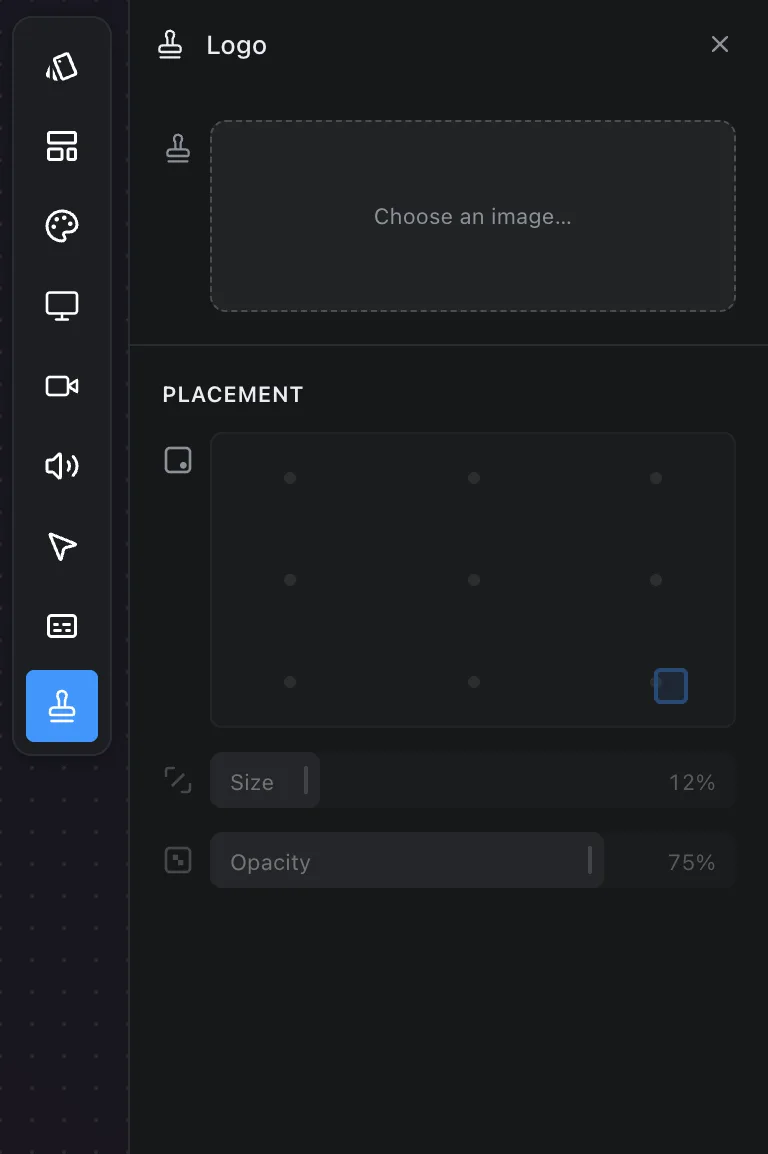
- Placement puts it at one of nine positions in the frame. Drag it in the composition for any other.
- Size scales it, as a share of the frame.
- Opacity fades it, so it sits over the footage without covering it.
The image is copied into the recording's folder, like a background, so the recording stays self-contained.
Saving it with a look
A logo is part of a scene preset. Save a look with a logo in place and applying that look elsewhere brings the logo with it. See Scene presets.
Frequently asked questions
- What image should I use for a logo?
- A PNG with a transparent background works best, so only the mark sits over the footage. Opacity lets it fade into the picture.
- Can I put the logo anywhere?
- Yes. Placement puts it at one of nine positions, and dragging it in the composition gives you any other.
- Does the logo come with a saved look?
- Yes. A scene preset saved with a logo in place brings the logo with it when applied to another recording.