Recording
Teleprompter
A script in the notch, right under the camera, that follows your voice and never appears in the recording.
What it is
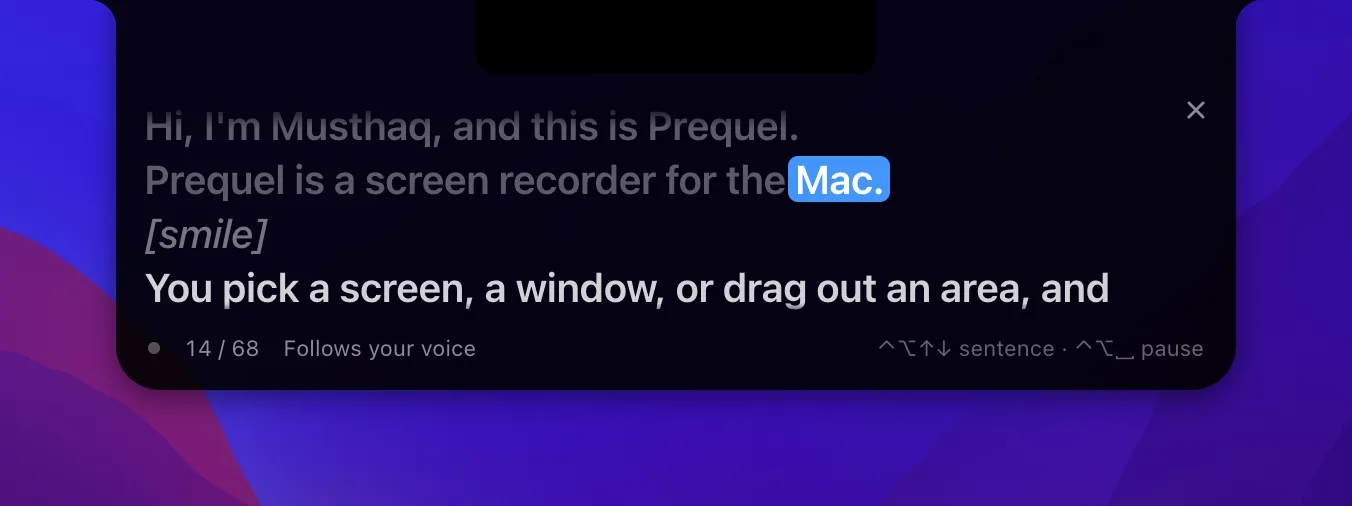
The teleprompter puts your script in the notch, a few millimetres under the camera, so your eyes stay on the lens while you read. It follows your voice: the word you are on lights up as you say it, and the text moves on as you go.
It is on your screen and nowhere else. Prequel keeps its own windows out of the capture, so the island is never in the recording — not for a screen, a window or an area.
Switching it on

The prompter has a control on the panel, after the microphone, and it is there once a microphone is chosen — it follows a voice, so it goes with the microphone. Pressing it opens a menu: Off and the three ways the words can move at the top, the text size under them, and Edit Script… at the bottom. Picking how it moves turns it on and the island appears. The menu bar's Teleprompter item does the same, and Edit Teleprompter Script… opens the script.
Turning it on from the panel before you have written anything opens the script window straight away.
Writing the script
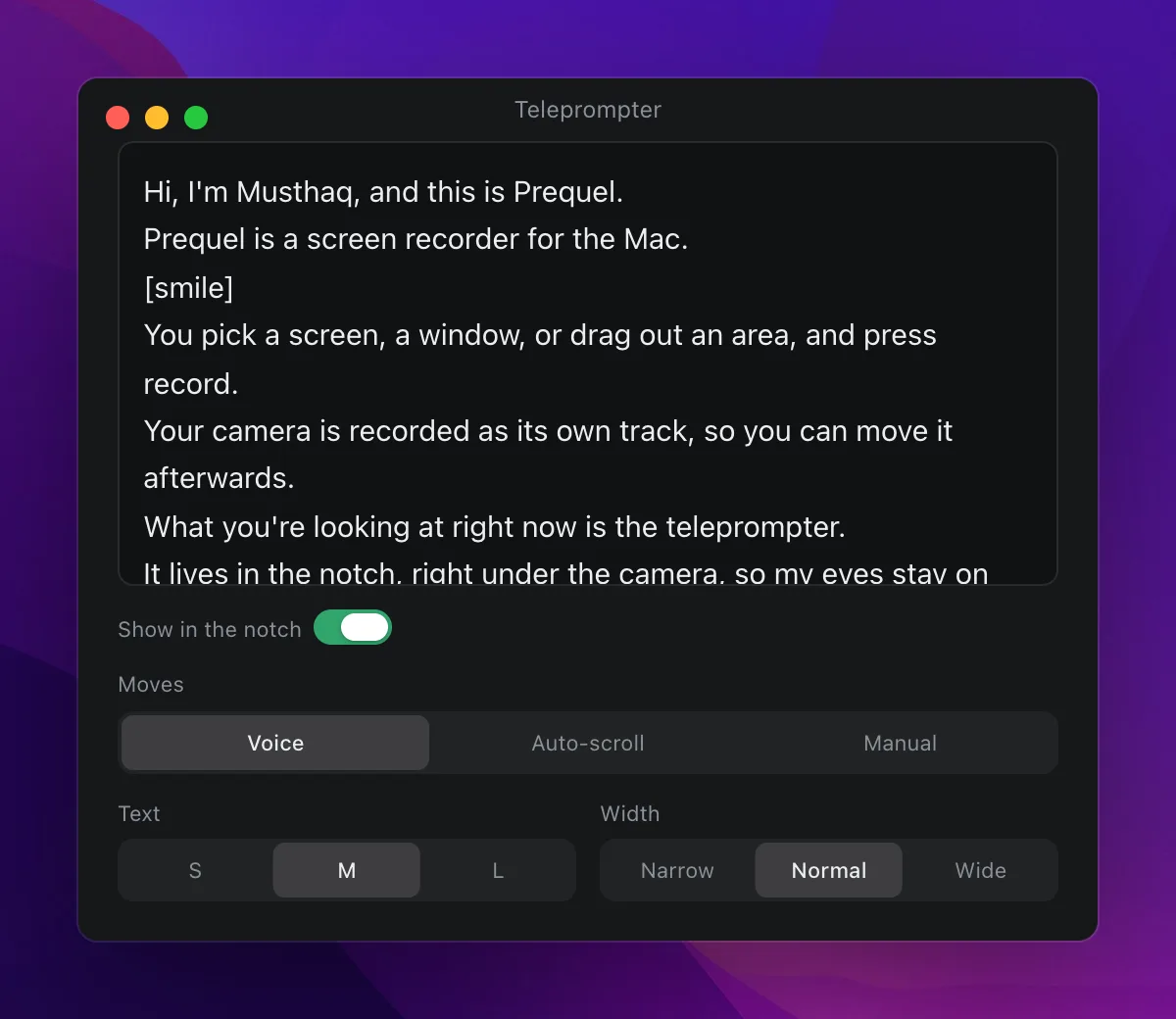
Type or paste what you want to say. There is no Save: the script is remembered as you type, and the island shows it as it is.
A few habits make it read better:
- One thought per line. A line break is where the step keys land, and where the island breaks the text.
- Notes to yourself go in square brackets.
[smile]or[pause here]are drawn dim and in italics, and the prompter never waits for you to say them. Only square brackets count —(pause)and<pause>are ordinary words, and the prompter will wait for you to say "pause". - Numbers can be written either way. "2026" is matched whether you say "twenty twenty-six" or "two thousand and twenty-six", and "3" matches "three".
The window closes itself when a take starts. It is an ordinary window, and it would be in the recording.
How it follows you
Prequel listens on this Mac — nothing leaves it — and lines up the last few words it heard against the script to find where you are. That is what lets it cope with a reader who is not a machine:
- Go off-script and the highlight waits where you left off. Ramble as long as you like; the words in the footer pulse while it listens for you to come back.
- Skip a line and it catches up within a couple of words.
- Go back a sentence and it follows you back.
- Click any word to say "I am here", and it carries on from there. The scroll wheel does the same: scroll, and whichever word ends up on the reading line is where it picks up.
Your script's own words are handed to the recogniser to expect, so product names and unusual words are heard right more often than they would be in dictation.
The microphone opens when the take starts and closes when it stops. Before that the island shows your script and stays still — read it over, step through it with the keys — but nothing is listening.
Three ways to move
Under Moves in the script window, or in the panel's menu:
- Voice follows what you say. The default.
- Auto-scroll moves at a steady pace, set in words a minute. It starts with the take, so the text does not run off during the countdown.
- Manual moves only on the keys, a click or the wheel.
A Mac with no on-device speech model for your language cannot follow your voice, and says so in the island's footer — it auto-scrolls instead. Add the language under Keyboard › Dictation in System Settings and it will listen next time.
Keys
These work while the island is showing, whatever application is in front:
| Keys | Does |
|---|---|
| Control + Option + Down | On a sentence. |
| Control + Option + Up | Back a sentence. |
| Control + Option + Space | Pause and resume. |
| Control + Option + 0 | Back to the top. |
They carry Control and Option because plain arrows, and Option with arrows, are how you move through text in the very editor you are likely to be recording.
Where it sits
On a MacBook with a notch the island hangs from it, drawn as the notch grown wide. Prequel asks macOS whether the display has one, and how big, rather than guessing from the model.
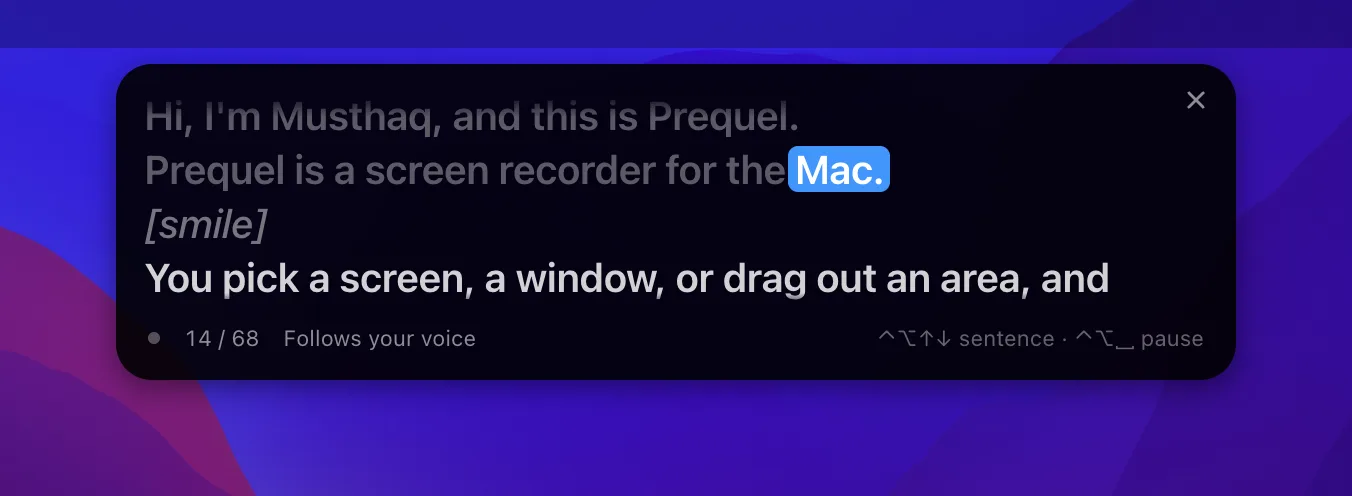
On a Mac without a notch it sits at the top of the built-in display, just under the menu bar, without the strip that would have met the notch — the camera is still up there. With the lid closed and an external display, it takes the top of the display the pointer is on.
With more than one display connected, the panel's prompter menu lists them: Follow the Camera is the default, and On a named display pins the island to that one — for a webcam on an external monitor, say. A display that is later unplugged sends the island back to following the camera.
Text and Width in the script window change the island's size. Four lines are always showing, with the one you are reading second from the top, so you can see what comes next.
Frequently asked questions
- Does the teleprompter show up in my recording?
- No. Prequel leaves its own windows out of the capture, so the words are on your screen and not in the file. This holds for a screen, a window and an area recording alike.
- What happens if I go off-script?
- The highlight waits where you left the script. Say something from the script again and it picks up there, whether that is the next line, a line you skipped to, or one you went back to.
- Is the microphone always on while the teleprompter is showing?
- No. It opens when a take starts and closes when it stops. While the panel is merely open the words sit still, and you can move through them with the keys or by clicking a word.