Screen Studio without a subscription: what your options are
Screen Studio is $29 a month, or $9 a month billed yearly, with no free tier and export behind the paywall. The four options if you do not want a subscription, including the one for a project already recorded.

Screen Studio is a subscription now, with no free tier and no way to export without paying. That surprises people after they have done the work, so here is what each way out costs.
What it costs
Screen Studio charges $29 a month billed monthly, or $9 a month billed yearly, which is $108 a year. Every feature is in both. There is no free plan and, for new customers, no one-time licence. These are the prices on its own site as of 5 October 2026.
The moment people find out
A user on r/macapps in January 2026 finished a recording, then found there was no trial left.
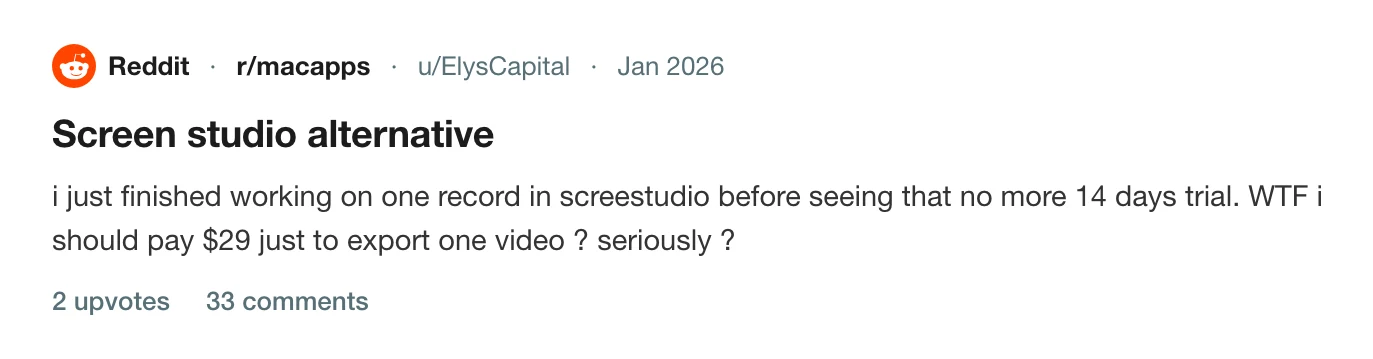
They wrote that they had just finished working on one recording before seeing there was no more 14-day trial, and asked whether they really had to pay $29 just to export one video. They also asked what app could open and export a Screen Studio project.
Your four options
1. Pay for one month, export, cancel
For a single project this is the cheapest route: $29 for a month on the monthly plan, export everything you need, and cancel before it renews. Screen Studio's terms say the fees are non-refundable, so cancelling in time is the only protection. How to cancel Screen Studio has the route.
2. Pay yearly
$108 up front for a year at $9 a month. It is the lower price if you make recordings all year.
3. Keep an old licence
If you bought a one-time licence in the past, Screen Studio says it is still valid. What lapses is access to the latest updates. Screen Studio's lifetime licence is one year of updates explains what people found when theirs ran out.
4. Move to something you can buy once
A Screen Studio project is Screen Studio's. Prequel does not open another recorder's project files. It imports a video you already exported, with Add Clip, then Import Video. For new recordings, you can record in Prequel from the start.
Prequel costs $9 a month, or $29 once, after a 7-day free trial with the whole app in it. The lifetime licence has nothing to renew. That is what the pricing page says today, and it is not a promise about tomorrow.
Other tools make a different trade
A free tier usually comes with a limit. Loom's free plan limits are five minutes and 25 videos, and Tella has no free plan at all. Screen Charm sells a lifetime licence too, at $79.
For a wider comparison, see the best Screen Studio alternatives for Mac and the Screen Studio page. Screen Studio 4: what's new, and what it still costs covers the price in the context of the release. For the zoom behaviour people also mention, see Screen Studio zooms too much.
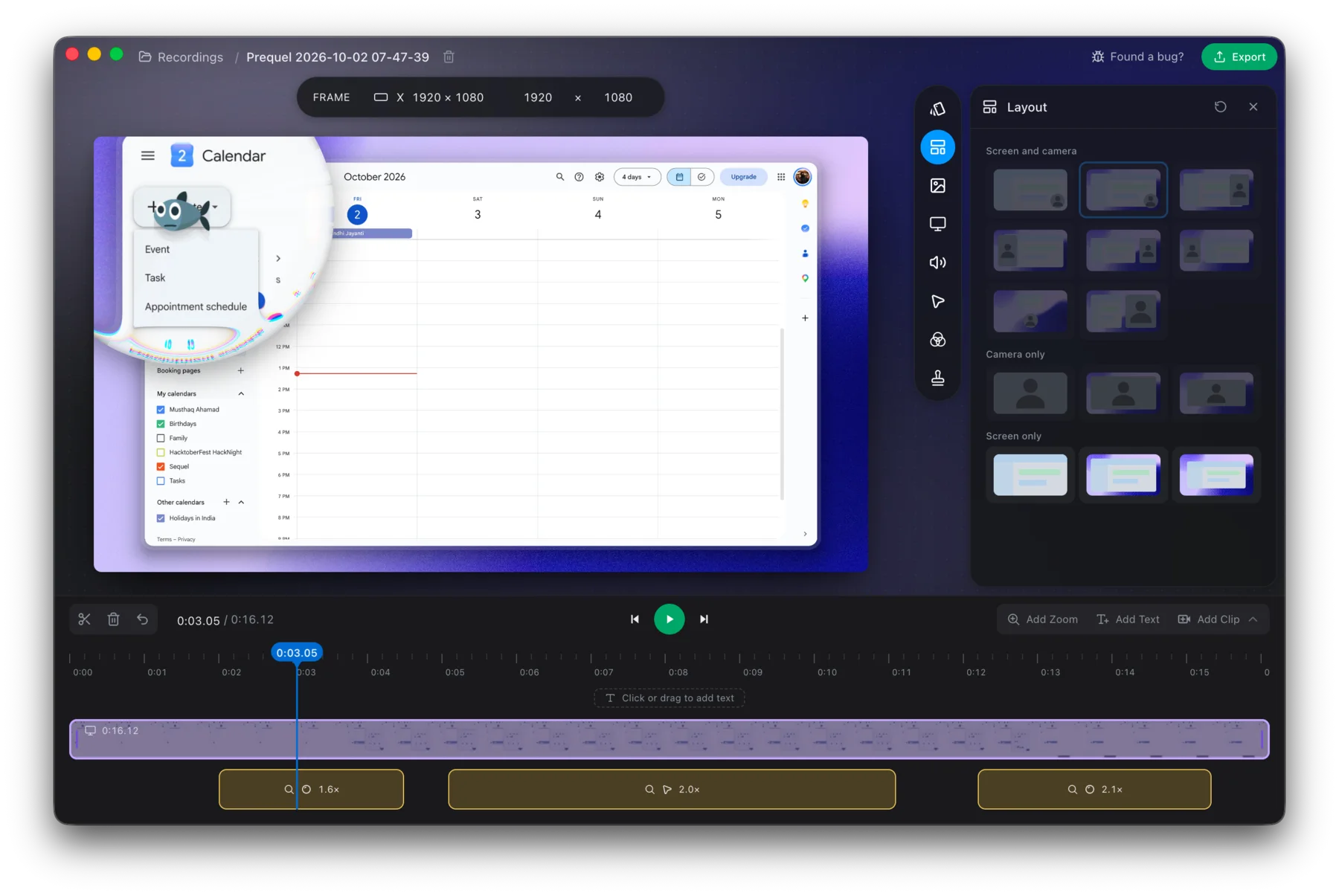
Try the whole app for 7 days before you decide.
Prequel needs an Apple Silicon Mac on macOS 14 or later. Download Prequel for Mac and try it free for 7 days, with no watermark on anything you export. After that it is $9 a month or $29 once. See what it costs.
Frequently asked questions
- How much does Screen Studio cost?
- $29 a month billed monthly, or $9 a month billed yearly, which is $108 a year. Every feature is in both plans and there is no free tier. Prices checked on 5 October 2026 on Screen Studio's own site.
- Can I export from Screen Studio without paying?
- No. Screen Studio has no free plan. One user on r/macapps recorded a video and found they would have to pay $29 to export it, so the cheapest route for a single export is one month on the monthly plan, cancelled before it renews.
- Is there a one-time purchase for Screen Studio?
- Not for new customers. Screen Studio says one-time licences were sold in the past and are no longer available for new purchases. Existing holders keep a valid licence, but updates lapse and renewing access costs extra.
- What Mac screen recorder can I buy once?
- Prequel's lifetime licence is $29 once, with no renewal, and its subscription is $9 a month. Both include the whole app with no watermark, after a 7-day free trial. It needs an Apple Silicon Mac on macOS 14 or later.
Keep reading
- Screen Studio's lifetime licence is one year of updatesScreen Studio's one-time licence stays valid, but access to updates ends. What Screen Studio says, what holders report on r/macapps and Hacker News, what is not documented, and what a buy-once licence means elsewhere.
- How to cancel Screen StudioScreen Studio bills through Lemon Squeezy, not the app. Where to cancel, what the terms say about refunds and renewal, what happens to a one-time licence, and how to avoid a lookalike site. Checked 5 October 2026.
- Tella has no free plan: what to use insteadTella is $13 or $19 per user a month billed annually, after a 7-day trial that exports at HD and 30 fps. What its help centre and pricing page say, why older reviews still mention a free tier, and what else costs nothing to try.
- Screen Charm refund and cancellation: it is $79 onceScreen Charm has no subscription to cancel. What its terms say about the $79 lifetime price, the 14-day refund and how to ask for one, the Apple Silicon requirement that caught one buyer, and how the one-off price compares.
- Screen Studio zooms too much: how to calm it downUsers on Hacker News and Reddit describe constant zooming as distracting and dizzying. What they said, and how to lower the level, slow the move, delete the zooms you do not want or swap them for a loupe in Prequel.