Screen Studio vs Loom: which screen recorder should you use on a Mac?
Screen Studio makes the recording look good and Loom gets it in front of somebody, and they are priced for different buyers. We put the two head to head on what each does, what people say about each, and a feature table with Prequel in the third column.

TL;DR
| Tool | Price | Best for |
|---|---|---|
| Prequel | $39 once, or $9/mo | A recording that comes out edited, and a link or a file, on a Mac |
| Screen Studio | $29/mo, or $9/mo billed yearly ($108/yr) | Polished demos on a Mac, if you are happy to rent the app |
| Loom | Free, capped at 5 minutes a video; $18 per user/mo; $24 with AI | Sending a quick message to a team that already lives in Loom |
Prices read off each vendor's pricing page on 17 September 2026.
Screen Studio and Loom are the two names that come up first when somebody on a Mac asks what to record with, and they are answers to different questions. Screen Studio makes the recording look good. Loom gets the recording in front of somebody. If you want both, that is what Prequel is for, and it costs less than either.
This is a head to head on what each one actually does, what it costs, what people say about each, and a feature table with all three side by side.
What is the difference between Screen Studio and Loom?
Screen Studio is a Mac app that edits a screen recording as it is made: zooms on the clicks, a smoothed cursor, a background behind the window, a camera in the corner. The output is a finished MP4 on your disk. It is a subscription, and it runs only on macOS.
Loom is a recorder attached to a sharing service. It captures the screen and the camera, uploads the take to Loom's servers, and hands you a link with viewer counts, comments and a transcript. The recording is the take as you performed it, with a trim and not much else. It runs on macOS, Windows, the web and Chrome, and the free plan stops each video at five minutes.
Screen Studio
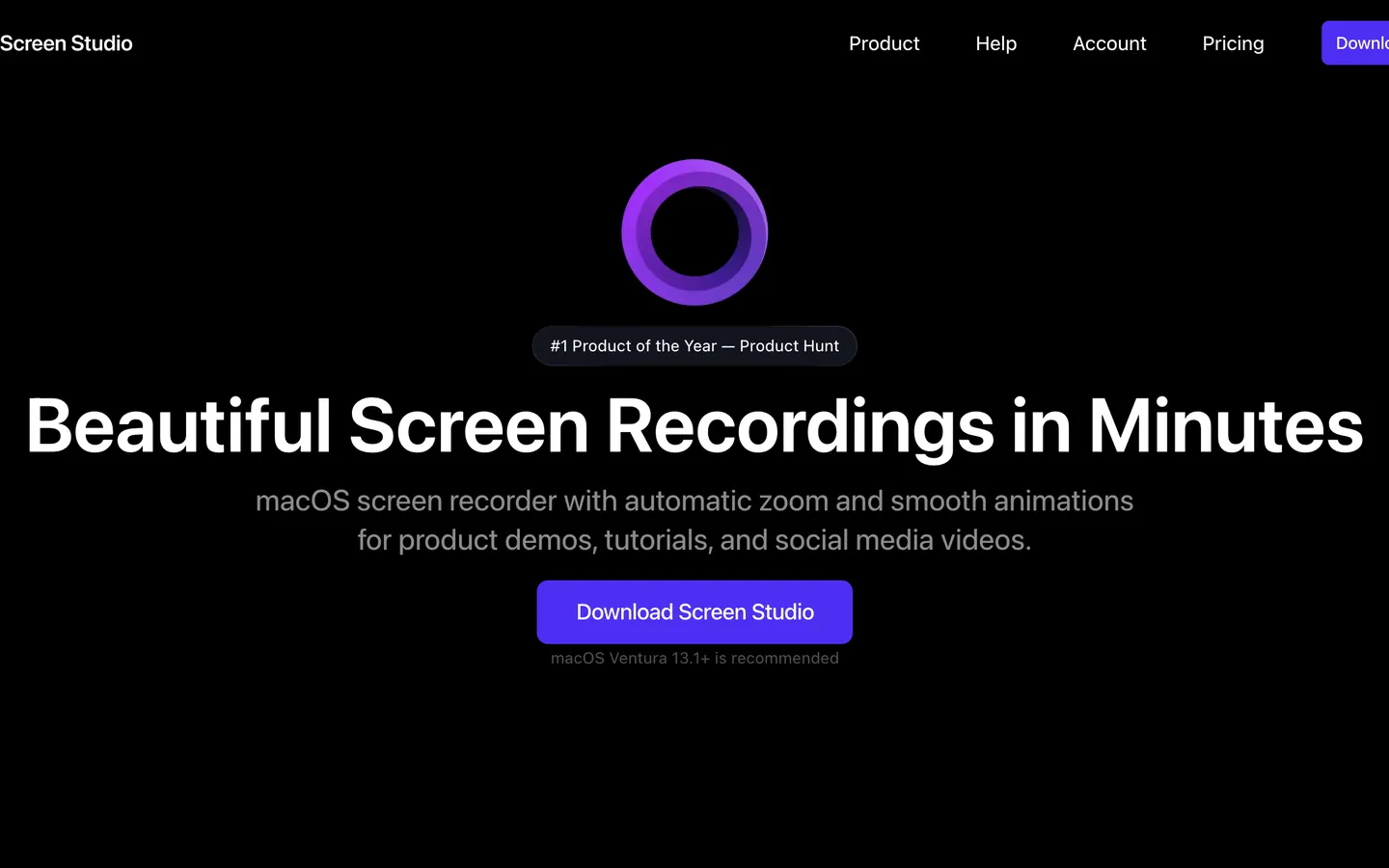
Screen Studio made this category. It launched in November 2022 and it is the app every automatic-zoom recorder since, Prequel included, is measured against. Record a window, and the zooms land on your clicks, the cursor is smoothed, and the window sits on a background with a shadow. The camera can sit over the screen or take the frame on its own, captions are transcribed on the Mac, the microphone and the Mac's audio are separate tracks, and a 16:9 take can be reframed to vertical without cropping it. It also records an iPhone or iPad over USB, which is genuinely useful for a mobile demo.
Export tops out at 4K at 60 frames a second. A share link is offered, with a 30-minute cap and Screen Studio's branding on the page.
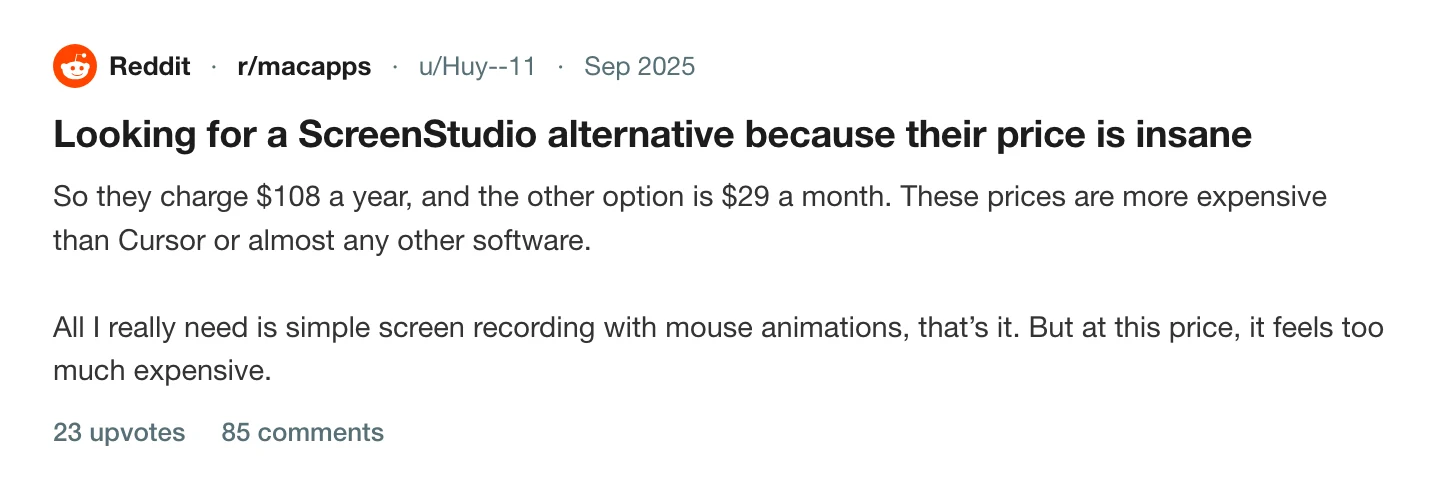
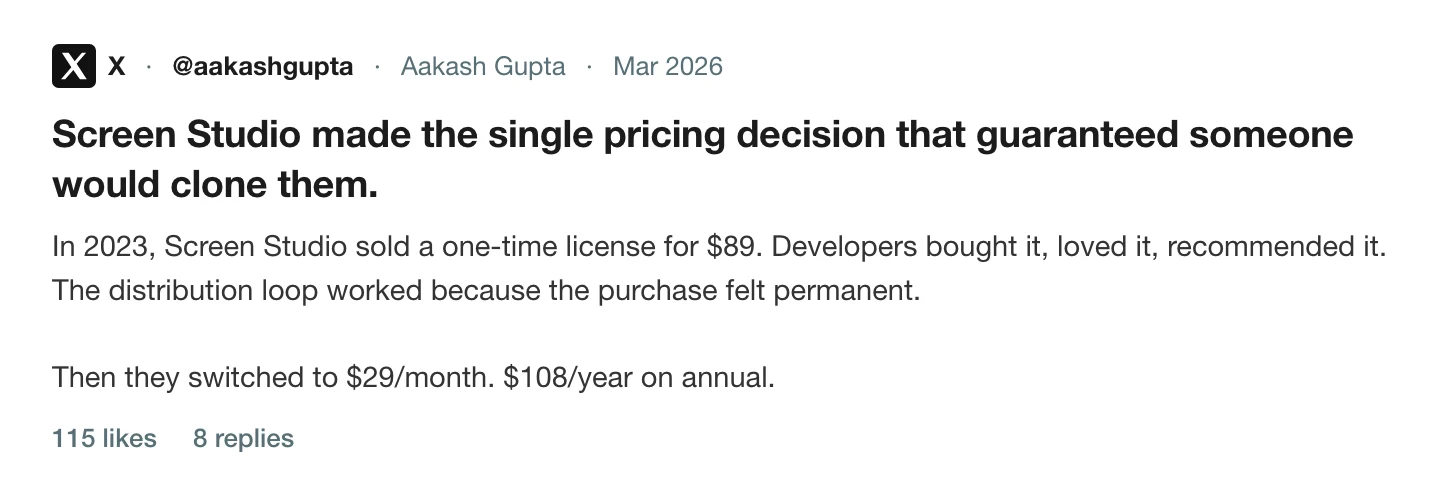
What people talk about is the price, and specifically what happened to it. Screen Studio sold a one-time licence until October 2025, and then stopped. The app is now $29 a month, or $9 a month if you pay $108 for a year up front. The threads asking for a way out have not slowed since.
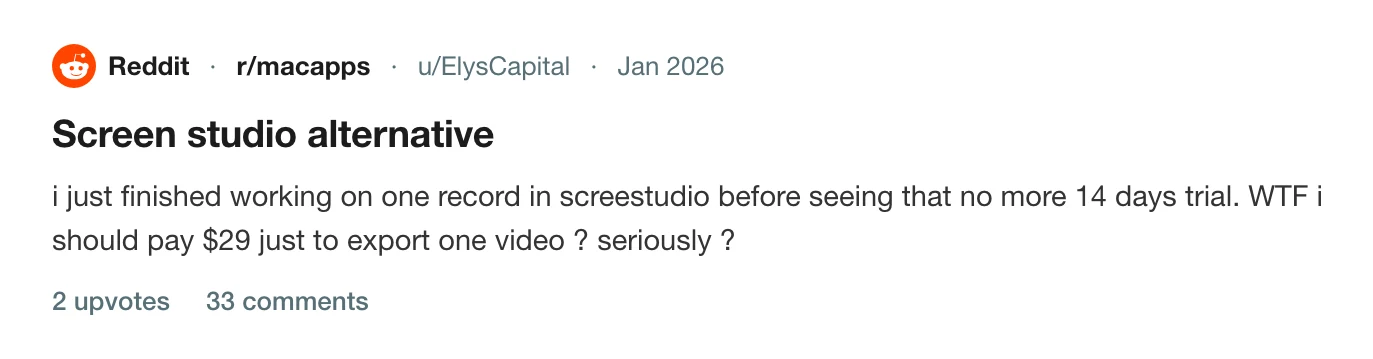
The second thing is what the subscription gates. A recording can be made and edited and then sits there until the month is paid, which is how a thread with 33 comments came to be titled "Screen studio alternative" by somebody who finished one video and found the export behind the paywall.
Prequel does the same first pass, exports at 4K 120 where Screen Studio stops at 60, and $39 here buys the app for good rather than a month of theirs.
Pros
- Automatic zoom on clicks and typing, cursor smoothing and a framed camera, on every recording, with no tiers: both plans have every feature.
- Exports at up to 4K at 60 fps, and to GIF.
- Captions transcribed on the Mac. The microphone and the Mac's audio are separate tracks, so either can be levelled or dropped afterwards.
- Records an iPhone or iPad over a USB cable, detects the model and colour, and draws the matching device frame.
- Reframes a 16:9 take to 9:16 without cropping it.
- Recordings and exports stay on the Mac; only a share link uploads.
- Runs on macOS 13.1 and later.
Cons
- Subscription only: $29 a month, or $108 a year up front. The one-time licence was withdrawn in October 2025.
- No free tier. A finished recording cannot be exported until the month is paid.
- Export tops out at 60 fps; there is no 120 fps option.
- Share links are capped at 30 minutes and the page carries Screen Studio's branding.
- macOS only. There is no Windows version, and the FAQ on their pricing page still answers "Is the Windows version ready?"
- A 366 MB download.
- No team workspace, viewer analytics or comments on a shared video.
Price. $29 a month billed monthly, or $9 a month billed yearly, $108 a year. No free tier. Read off screen.studio on 17 September 2026.
Loom
Loom replaced a meeting. Press record, talk over your screen with your face in a bubble, stop, and the link is already on your clipboard. The person on the other end watches at double speed in a browser, leaves a comment on the timeline, and you see that they watched. Since Atlassian bought it in 2023 it is wired into Jira and Confluence, and the paid plans add a transcript, AI titles and summaries, and a workspace where a team's videos live.
What Loom does not do is edit. There is no automatic zoom, the cursor is recorded as it was, the camera bubble is where it was, and the microphone and the Mac's audio are mixed into one track. A trim and transcript-based cuts are the editing. The recording lives on Loom's servers, and a file on your Mac is a download from there, because upload is the product.
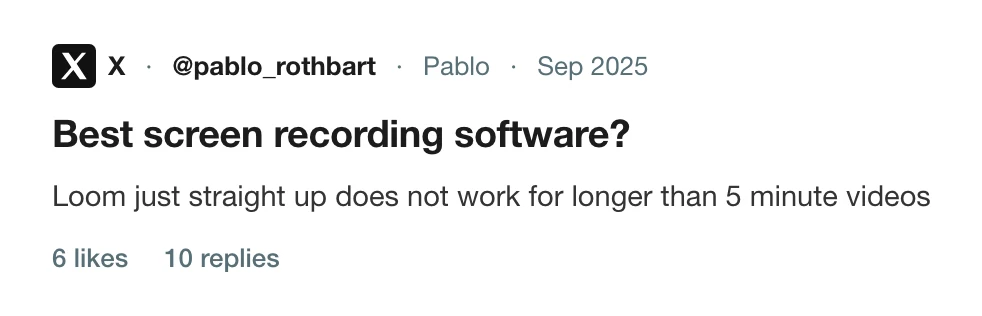
The complaint that recurs is the free plan's cap. Every video on the Starter plan stops at five minutes, and it has since 2020. The other is the price of getting past it: $18 per user per month, and Loom's 2026 change that retired the free "creator lite" seats and moved those users onto paid ones.
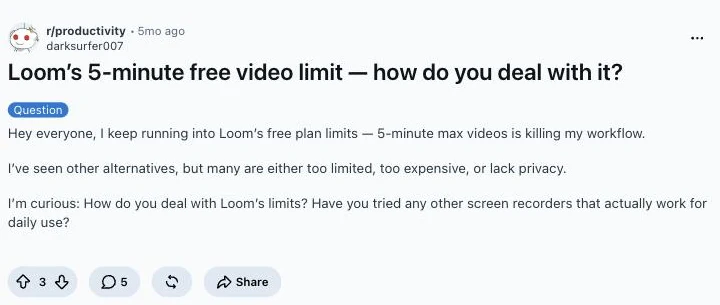
The thread on r/productivity →
Prequel records with no cap on the length of a take, renders on the Mac without uploading anything unasked, and still gives you a share link when you want one, at $9 a month against Loom's $18.
Pros
- Free to start, with 25 videos per person and a workspace of up to 50 members on the Starter plan.
- The link is the product: viewer insights, comments and emoji reactions on the timeline, and a transcript in more than 50 languages, all on the free plan.
- Runs on macOS, Windows, iOS, Android, the web and as a Chrome extension, so a mixed team can all use it.
- Embeds in Jira, Confluence, Notion, Slack, Intercom, Zendesk and the rest; Loom says 400,000 companies use it.
- Meeting recordings are unlimited in length on every plan, including free.
- Business + AI adds filler-word removal, auto titles, summaries and meeting notes, with a 14-day trial.
Cons
- Every screen recording on the free plan stops at 5 minutes, and Starter plays back at up to 720p. 4K needs a paid plan.
- 25 videos per person on Starter, then the library is full.
- $18 per user per month for Business, $24 with AI; about 17 percent less billed annually. A team of ten on Business is $2,160 a year.
- Loom's branding stays on the video page, and downloading your own video needs Business.
- No automatic zoom, no cursor smoothing, no background behind the window; the camera bubble is baked into the recording where it was.
- Microphone and system audio are one mixed track, so neither can be levelled on its own afterwards.
- Every recording uploads to Loom's servers; there is no local-only mode.
- Basic waveform editing on Business, and the advanced editing is on the $24 plan.
Price. Free Starter, capped at 25 videos of five minutes each at 720p. Business is $18 per user per month, Business with AI is $24. Read off loom.com/pricing on 17 September 2026.
Screen Studio vs Loom vs Prequel, feature by feature
| Feature | Prequel | Screen Studio | Loom |
|---|---|---|---|
| Automatic zoom on clicks | Yes | Yes | No |
| Zoom on what you type | Yes | Yes | No |
| Cursor smoothing and resizing | Yes | Yes | No |
| Camera, shaped and placed after the take | Yes | Yes | No, the bubble is baked in |
| Backgrounds, padding and shadow | Yes | Yes | Blur and simple backgrounds |
| Perspective tilt and focus falloff | Yes | No | No |
| Captions transcribed on your Mac | Yes | Yes | After upload to Loom |
| Separate microphone and system audio | Yes | Yes | No |
| System audio without a virtual driver | Yes | Yes | Yes |
| Reframe to vertical without cropping | Yes | Yes | No |
| Records and exports without uploading | Yes | Yes; share links upload | No, recordings upload to Loom |
| Shareable links | Yes | Yes, 30-minute cap, branded page | Yes |
| Team workspace | Yes | No | Yes |
| Records an iPhone or iPad | No | Yes | No |
| Maximum export | 4K, 120 fps | 4K, 60 fps | 720p free, 4K on paid plans |
| Download size | 102 MB | 366 MB | 228 MB |
| Platforms | macOS 14+, Apple Silicon | macOS | macOS, Windows, web, Chrome |
| Licence | $39 once, or $9/mo | Subscription only | Per-seat subscription, free tier capped |
Checked against each vendor's own pages on 17 September 2026; the two comparison pages linked above carry the sources.
Prequel
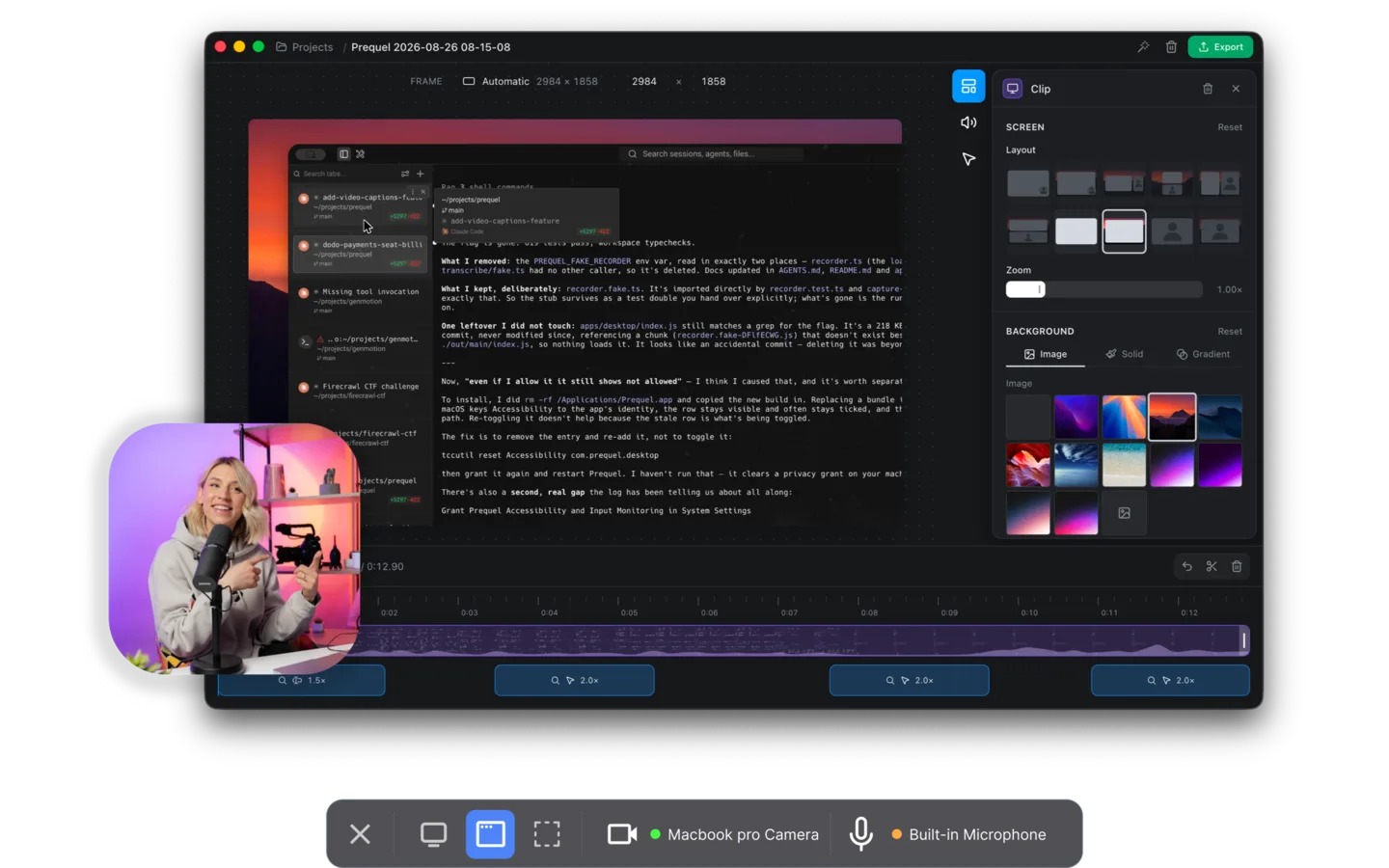
Prequel is the Screen Studio half and the Loom half in one app, on a Mac. Record a display, a window or a region, with the camera and the microphone if you want them, and the editor opens with the first pass done: zooms placed on every click and burst of typing, the camera framed in a corner, a background behind the window, the two audio tracks balanced, the cursor smoothed and resized. Then a perspective tilt on the push-in and focus falling away from the subject, which neither of the other two has.
Captions are transcribed on the Mac, with nothing uploaded, and the words can be typed into. Export is an MP4 at up to 4K and 120 frames a second, in H.264 or HEVC, with no watermark on any plan or during the trial, and no cap on how long a take can be. Share Link uploads the export and gives you a URL that plays in the browser with the transcript as subtitles and chapters, which is the part of Loom people actually use.
The code is on GitHub at github.com/haxzie/prequel, under FSL-1.1-ALv2, which becomes Apache 2.0 two years after each release.
Price. $39 once, or $9 a month. Seven days free with the whole app in it. Requires. An Apple Silicon Mac on macOS 14 or later.
So which one
If you are sending a two-minute message to a team that already lives in Loom, with comments and view counts and a Jira link, use Loom and stop there. It is the best at that, and the free plan is enough for a lot of it.
If the recording is going somewhere that will be judged on how it looks, a launch or a product demo, a YouTube tutorial, Screen Studio does the job and so does Prequel. The difference is the export ceiling, 4K 120 against 4K 60, the tilt and focus on the zooms, and what you pay: $29 buys a month of Screen Studio or a lifetime of Prequel.
If you want the produced recording and the link, which is most people asking this question, that is Prequel. It records locally, does the edit as it opens, exports a file you own, and shares a link when you ask it to.
The cost argument is short. A year of Screen Studio is $108 paid up front or $348 month by month. A year of Loom for one paid seat is $216. A year of Prequel is $39, once, or $108 on the monthly plan with unlimited storage for shared links. The trial is seven days with nothing held back, so the way to settle this is to record the same take in all three and look at the three files.
Related reading: the best Screen Studio alternatives, the best Loom alternatives for Mac, and the best screen recorders for Mac.
Frequently asked questions
- Is Screen Studio better than Loom?
- For the recording itself, yes: Screen Studio adds automatic zooms, a smoothed cursor, a background and a framed camera, and Loom records the take as performed with a trim. For sharing, Loom is better: the link, comments, view counts and integrations are the product. Prequel does the Screen Studio edit and gives you a share link, for $39 once or $9 a month.
- How much does Screen Studio cost compared to Loom?
- Screen Studio is $29 a month billed monthly or $9 a month billed yearly ($108 a year), with no free tier. Loom has a free Starter plan capped at five minutes a video, then $18 per user per month for Business and $24 with AI. Prequel is $39 once or $9 a month. Read off both pricing pages on 17 September 2026.
- Does Loom have automatic zoom like Screen Studio?
- No. Loom records the screen as it was, with the cursor and camera bubble where they were. Automatic zoom on clicks and typing, cursor smoothing and a background are what Screen Studio and Prequel add when the recording opens.
- Does Screen Studio work on Windows?
- No. Screen Studio is a macOS app. Loom runs on macOS, Windows, the web and Chrome. Prequel is also Mac only, on Apple Silicon with macOS 14 or later.
- Does Loom's free plan have a time limit?
- Yes. Every video on Loom's free Starter plan stops at five minutes, a cap Loom introduced in 2020. The paid Business plan at $18 per user per month removes it. Prequel has no cap on the length of a take on any plan or during the trial.
- Can I get a Screen Studio lifetime licence?
- Not any more. Screen Studio withdrew its one-time licence in October 2025 and sells subscriptions only. Prequel sells a $39 lifetime licence alongside the $9 monthly plan.