Recording a Loom with the microphone off
Turning the mic off beforehand is a setting. Loom documents no mute button while recording, no mute shortcut, and an editor that can replace or delete a segment but not silence one. What Atlassian's own tracker says about it.

Turning the microphone off before you record is a setting. Turning it off part way through is not. Loom has no mute button while recording, no mute shortcut, and its editor cannot silence a stretch of a finished video while keeping the picture.
Loom's own pages and Atlassian's own issue tracker, read in November 2026, are the source for all of this.
Before you start: supported
The mic is one of the choices on the recording panel. "Select a microphone source or turn off your microphone. You will also see an audio indicator capturing audio before you start recording." If you want nothing of your screen either, "You can choose Camera only if you don't want to record any of your screens."
While recording: one pause, and it takes both
Loom documents a single pause. "Loom allows you to pause and resume your video during recording", on option/alt + shift + P. It covers the whole take, picture and sound together. There is no mute control in the documented recording controls and none in the keyboard shortcuts.
Changing the microphone once a take has started is not documented either. The source is picked beforehand: "Which Audio Source you would like your audio to be captured from". The camera can be switched mid-take, and the mic cannot, which is a surprising asymmetry once you have hit it. Why your camera is missing from a Loom recording covers the camera side.
Afterwards: replace or delete, never mute
Atlassian's own tracker carries an open suggestion for muting a time range, filed in February 2026 and still unresolved. Its description states the current limitation plainly: "Today, the section editing tools only allow replacing or deleting the segment."
The workaround it names is to leave and come back. "Users would need to export the Loom and edit it in a third-party video editor to mute specific sections, then re-upload." Getting a video out of Loom to do that is its own job, and on the free plan it is not possible at all. Trimming and stitching at all is a paid feature, and filler-word and silence removal sit higher again, so the free plan has none of it. Loom's free plan limits lists what Starter does include.
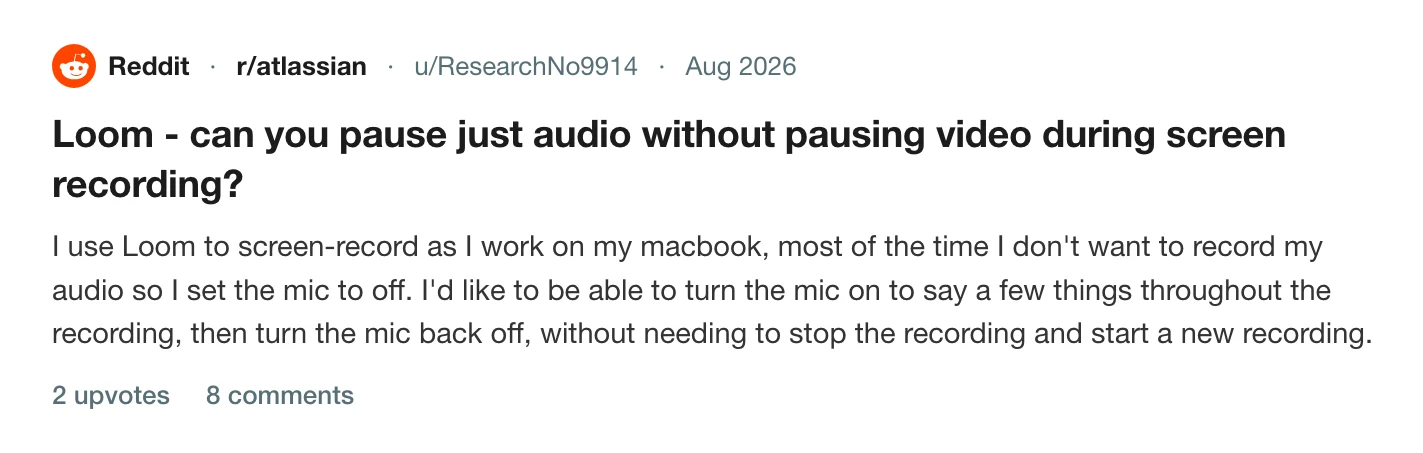
Somebody on r/atlassian asked for exactly this on a Mac: mic off by default, on for a few sentences, off again, without stopping the recording.
Audio you can set per clip
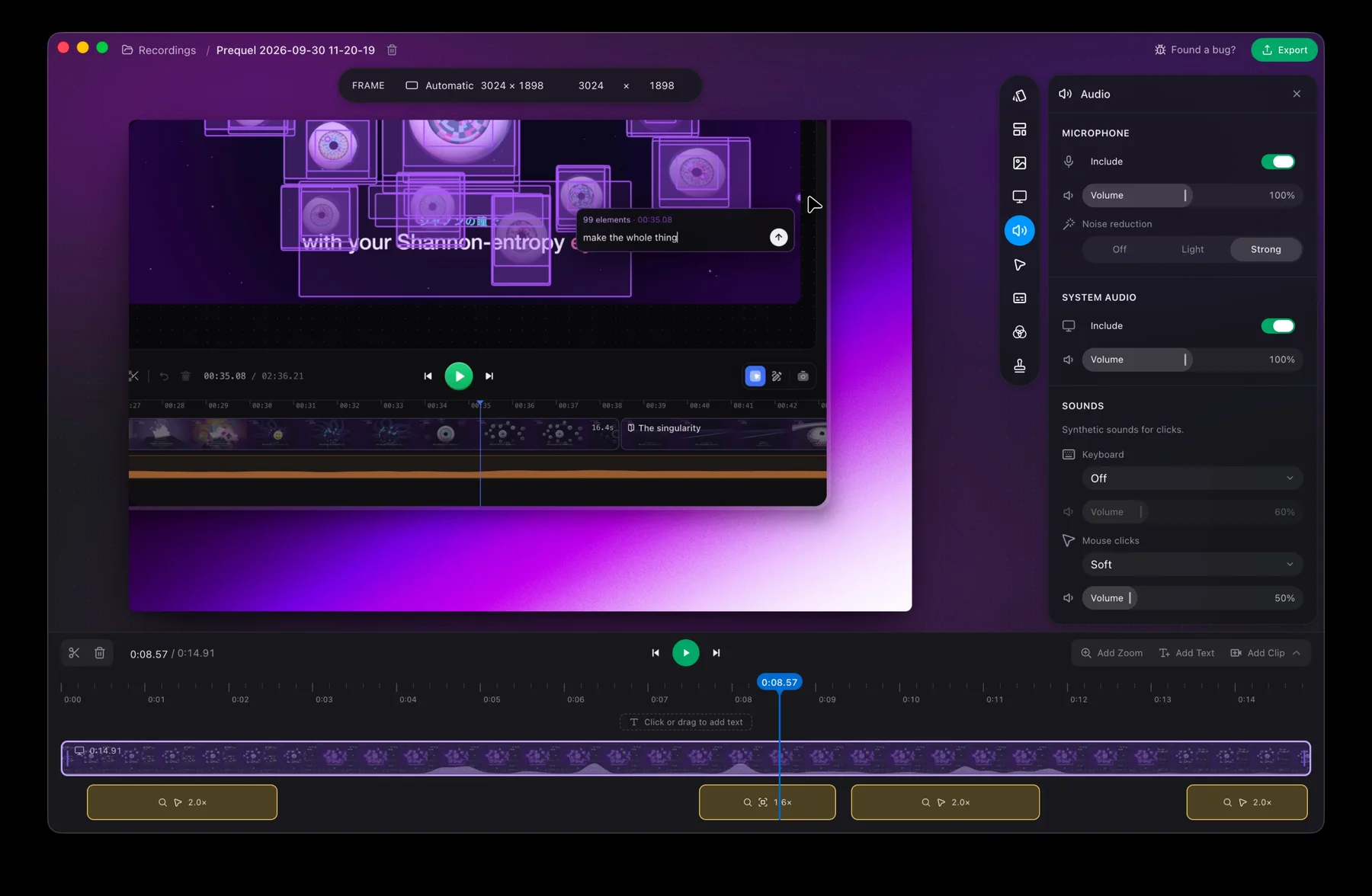
Prequel records the microphone and the Mac's own sound to separate files, mic.m4a and system.m4a, so the mix is a decision you make afterwards. In the Audio panel each source has Include and Volume.
Those are per-clip settings. Cut the timeline where you want the narration to stop, turn Include off for the microphone on that clip, and the picture carries on with no voice over it. The timeline and cuts covers the cut and audio covers the panel.
A silent screen recording does not have to be silent, either: Prequel can make the keyboard and click sounds from the moments you typed, so there is something to hear without a microphone in the room.
Record the next one with the mic off and decide later.
Prequel needs an Apple Silicon Mac on macOS 14 or later. Download Prequel for Mac and try it free for 7 days, with no watermark on anything you export. After that it is $9 a month or $39 once. See what it costs.
Frequently asked questions
- Can I record a Loom without a microphone?
- Yes. Loom's recording panel lets you select a microphone source or turn the microphone off before you start, and it offers a camera-only mode if you do not want to record your screen.
- Can I mute my mic part way through a Loom recording?
- Loom documents no mute control during a recording and no mute keyboard shortcut. The pause it does document covers the whole recording, picture and sound together, and changing the microphone once a take has started is not documented.
- Can I mute part of a finished Loom video?
- Not in Loom. An open suggestion on Atlassian's own issue tracker states that the section editing tools only allow replacing or deleting the segment, and names exporting the video and editing it elsewhere as the workaround.
- How do I silence part of a screen recording but keep the picture?
- In Prequel the microphone and the Mac's system audio are recorded to separate files, and Include and Volume are per-clip settings. Cut the timeline where the narration should stop and turn Include off for the microphone on that clip, and the picture continues with no voice over it.
Keep reading
- Why your camera is missing from a Loom recordingLoom grants the camera through Chrome for the extension and through macOS for the desktop app, and the Mac needs three ticks and not one. Where the camera bubble cannot follow you, and the 720p cap Loom documents on camera-only recordings.
- Loom's free plan limits: five minutes and 25 videosWhat Loom's free Starter plan allows, what counts toward the 25 videos, what happens when you hit the limit, and the ways around it. Plus what changes if you downgrade from a paid plan.
- Who can watch a Loom video, and what each plan allowsLoom's three privacy levels are on every plan, and the allow-list needs your recipients to hold a Loom account. Password protection, link expiry and disabling downloads are paid, and two of them need an Atlassian-managed workspace.