Who can watch a Loom video, and what each plan allows
Loom's three privacy levels are on every plan, and the allow-list needs your recipients to hold a Loom account. Password protection, link expiry and disabling downloads are paid, and two of them need an Atlassian-managed workspace.

Loom gives every plan three privacy levels and puts almost everything else behind a paid one. If you are trying to send a video to six named people and no one else, the level you want exists, and what it asks of your recipients is the part worth knowing first.
Loom's own pages, read in November 2026.
The three levels, on every plan
- Public. "Can be viewed by anyone who has the link to your video; no login or Loom account is required."
- Open. Viewable and findable "by anyone in the workspace as long as they are logged in". People outside can request access.
- Restricted. "Can only be viewed and found only by specific people whose email you've added when sharing your video."
Loom also states that "Loom videos are not indexed on Google or any search engine outside of Atlassian", and that "the option to make a video public can be disabled by workspace admins".
The allow-list has a condition
Choosing Only people added can access under Link Settings means your "video will automatically be set to private and inaccessible to anyone except those who have received access". Then the condition that decides whether this works for you: "Your recipient will need to be logged into their Loom account with this email in order to watch your recording."
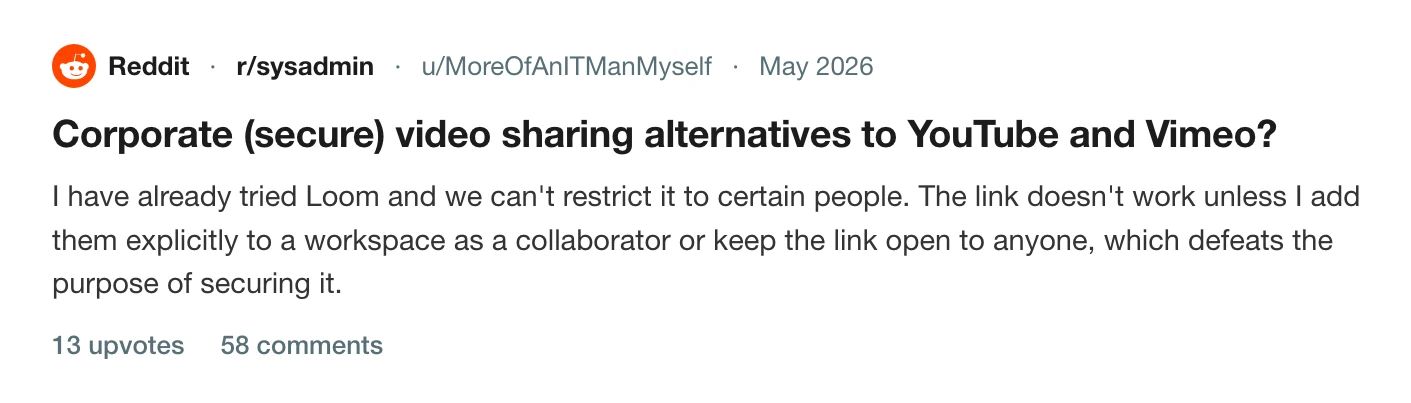
A client, a candidate or an auditor who has never used Loom has to make an account. That is the trade, and it is the one an IT manager on r/sysadmin ran into while trying to reach internal stakeholders.
What a paid plan adds
- Password protection. Business, Business + AI and Enterprise. Loom notes that "password-protected videos can't be added to Spaces".
- Link expiry. Enterprise and Business + AI, and only on Atlassian-managed workspaces. "By default videos will remain public unless an expiration rule is added." Creators can then "remove the public link expiration", so the rule is a default and not a lock.
- Restricting who may create a public link. Same plans, same managed-workspace condition.
- Disabling downloads. Same again, admin only, and it covers "videos and transcripts".
Domain restriction is on all plans, with a migration trap Loom spells out: switching from Users with your email domains to Workspace members makes links you already sent "inaccessible to people from your domains who are not in your workspace".
One more worth reading before you turn it on: the Slack preview setting "will reveal the title and preview of the video to all users you share the video with within Slack, even if they are not members of your Loom workspace or added to the video".
Loom's two pricing pages disagree with each other on the Starter seat count and on which plan gets workspace privacy defaults, so check the figure in your own billing screen. Why your Loom bill went up covers how the seat count moves on its own, and Loom's free plan limits covers what Starter holds.
The version with no link at all
Prequel records and exports on your Mac, and neither step touches the network. The result is an MP4 in the folder you chose, so the video goes out through whatever your security team already approved: the file store, the intranet, an attachment, a drive you hand over. Nothing has been uploaded for you to restrict afterwards.
A link is an extra you ask for, from a finished export, and share links covers that. Where files live covers the file. Getting the back catalogue off Loom first is its own job.
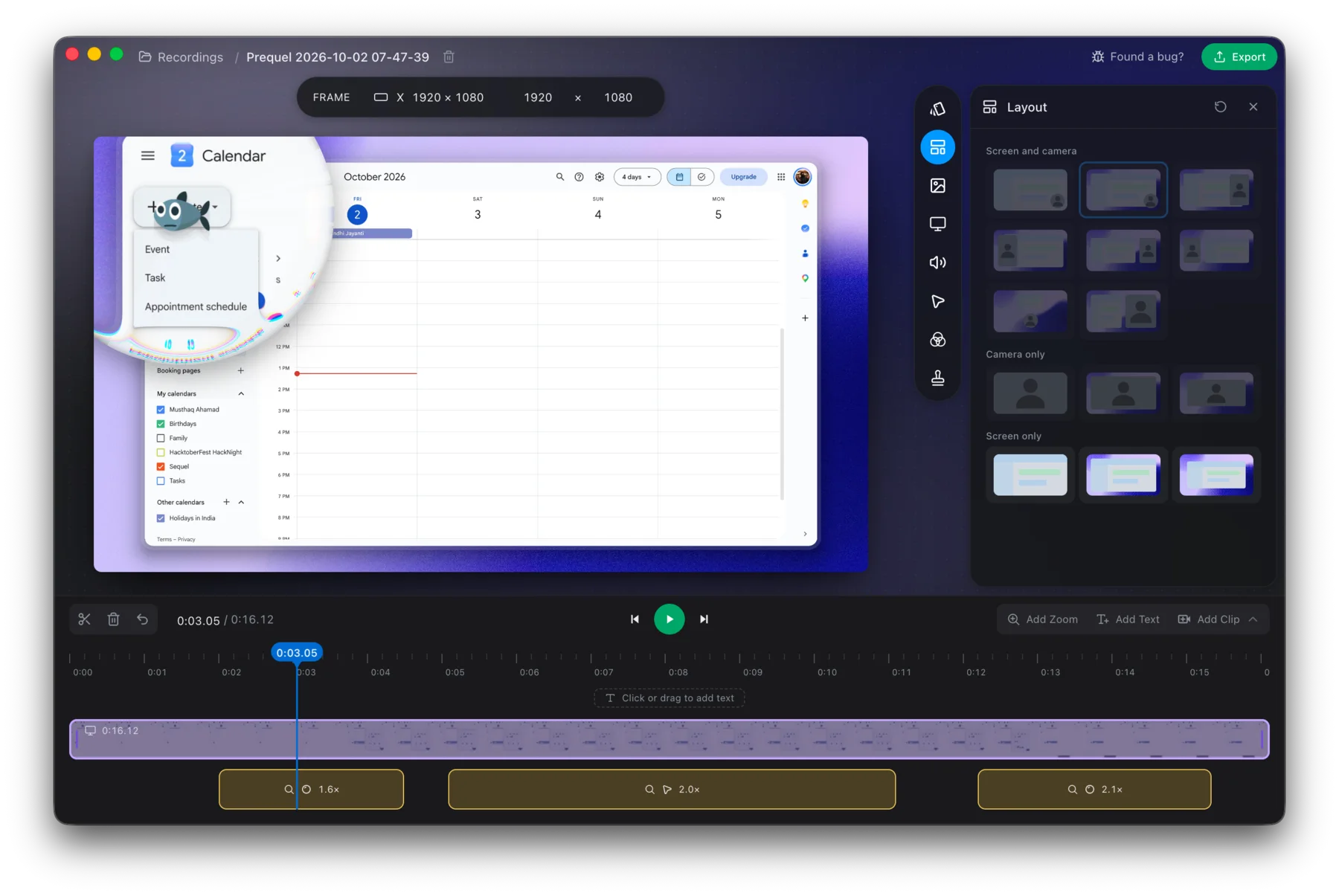
Export the next one and send the file.
Prequel needs an Apple Silicon Mac on macOS 14 or later. Download Prequel for Mac and try it free for 7 days, with no watermark on anything you export. After that it is $9 a month or $39 once. See what it costs.
Frequently asked questions
- Can I password-protect a Loom video?
- Only on a paid plan. Loom documents password protection for Business, Business + AI and Enterprise users, and notes that password-protected videos cannot be added to Spaces.
- How do I share a Loom with only certain people?
- Set the video to Restricted, or choose Only people added can access under Link Settings, and add their email addresses. Loom's condition is that each recipient has to be logged into a Loom account with that email to watch, so somebody who has never used Loom must create an account.
- Are Loom videos public by default?
- A Loom set to Public can be viewed by anyone with the link, with no login or Loom account needed. Loom says its videos are not indexed by search engines outside Atlassian, and that workspace admins can disable the option to make a video public.
- Can I set a Loom link to expire?
- Link expiry is documented for Enterprise and Business + AI, and only on Atlassian-managed workspaces. Loom also says creators can remove the public link expiration on their own videos, so the rule behaves as a default and not a lock.
- How do I send a screen recording without uploading it anywhere?
- Record and export locally. Prequel records and exports on your Mac without touching the network, so the result is an MP4 you can send through whatever channel your organisation already approves. A share link is an extra you ask for afterwards.
Keep reading
- How to get your videos out of LoomThere is no bulk download: Loom's bulk actions are move, archive, delete and change access. Downloads are one at a time, paid-only and role-gated, captions do not come with the file, and Loom documents no window to collect them after you cancel.
- Loom's free plan limits: five minutes and 25 videosWhat Loom's free Starter plan allows, what counts toward the 25 videos, what happens when you hit the limit, and the ways around it. Plus what changes if you downgrade from a paid plan.
- Recording a Loom with the microphone offTurning the mic off beforehand is a setting. Loom documents no mute button while recording, no mute shortcut, and an editor that can replace or delete a segment but not silence one. What Atlassian's own tracker says about it.
- Why your Loom bill went up, and how to leaveLoom's billing moved to Atlassian and free Creator Lite seats became paid ones. What changed, what people report paying, the step that stops the charge before the next invoice, and what to use if you are leaving.