Why Tella makes you wait before you can edit
Tella records on your Mac, uploads, and edits in a browser tab. What its own help centre says about the order, the upload speed it asks for, the two sign-ins, and what editing on your Mac looks like instead.

Tella calls its Mac app a recorder, and the editor is somewhere else. That split is why people wait. This page sticks to what Tella's own help centre says, because the order of events is the whole story.
The order of events
From Tella's documentation:
- The Mac or Windows app records, and "temporarily saves the video file to your Mac's local storage before uploading it to the cloud."
- The video is uploaded to your workspace.
- The editor is a web page. It "draws your video with your computer's graphics processor through WebGPU", which is why it needs a newer browser than recording does.
- Editing is desktop-only everywhere. Mobile devices can view videos and record in quick mode, but "editing remains desktop-only".
None of that is a bug. It is how the product is built, and its consequences are things you can plan around.
What it asks of you
Tella states a minimum upload speed: "The minimum upload speed for reliable use of Tella is between 2.5 and 5 Mbps." It also has a help page titled "Why is my video taking so long to upload?", which tells you how common the question is.
Because the recording sits on local disk until it uploads, Tella also tells you not to delete anything in its folder while a video is uploading: those files are the only copies. The disk limits that follow from this are in Tella stopped recording.
Two sign-ins for one product
The app records and the website edits, and each has its own login. Tella says that if a recording you just made on the Mac app will not open for editing, the app and your browser are usually signed in to different Tella accounts. The related problems of workspaces and missing recordings are in can't find your Tella recording.
When the editor is the slow part
Once you are in the editor, speed depends on your graphics hardware and browser, not only your connection. Why Tella's editor feels slow covers Low-res mode, and Tella editor won't load covers the four errors it shows when WebGPU is not available.
If an export is what you are waiting for, Tella export stuck is next. And Loom stuck in processing is the same wait in another cloud-first tool.
For a wider comparison, see the best Loom alternatives for Mac and the Tella page.
Edit on your Mac
Prequel's editor opens by itself when you stop recording, on the take you just made. There is nothing to import and nothing to upload before you can cut. The edit lives in a project.json beside the recording in ~/Movies/Prequel, and the video tracks are never rewritten, so deleting the edit puts a recording back as it was captured. See where files live and the editor overview.
Waiting also adds to what a video really costs to make: how long it takes to make a product demo video breaks the time down.
Sharing is a separate, optional step: Share video uploads the exported file and gives you a link.
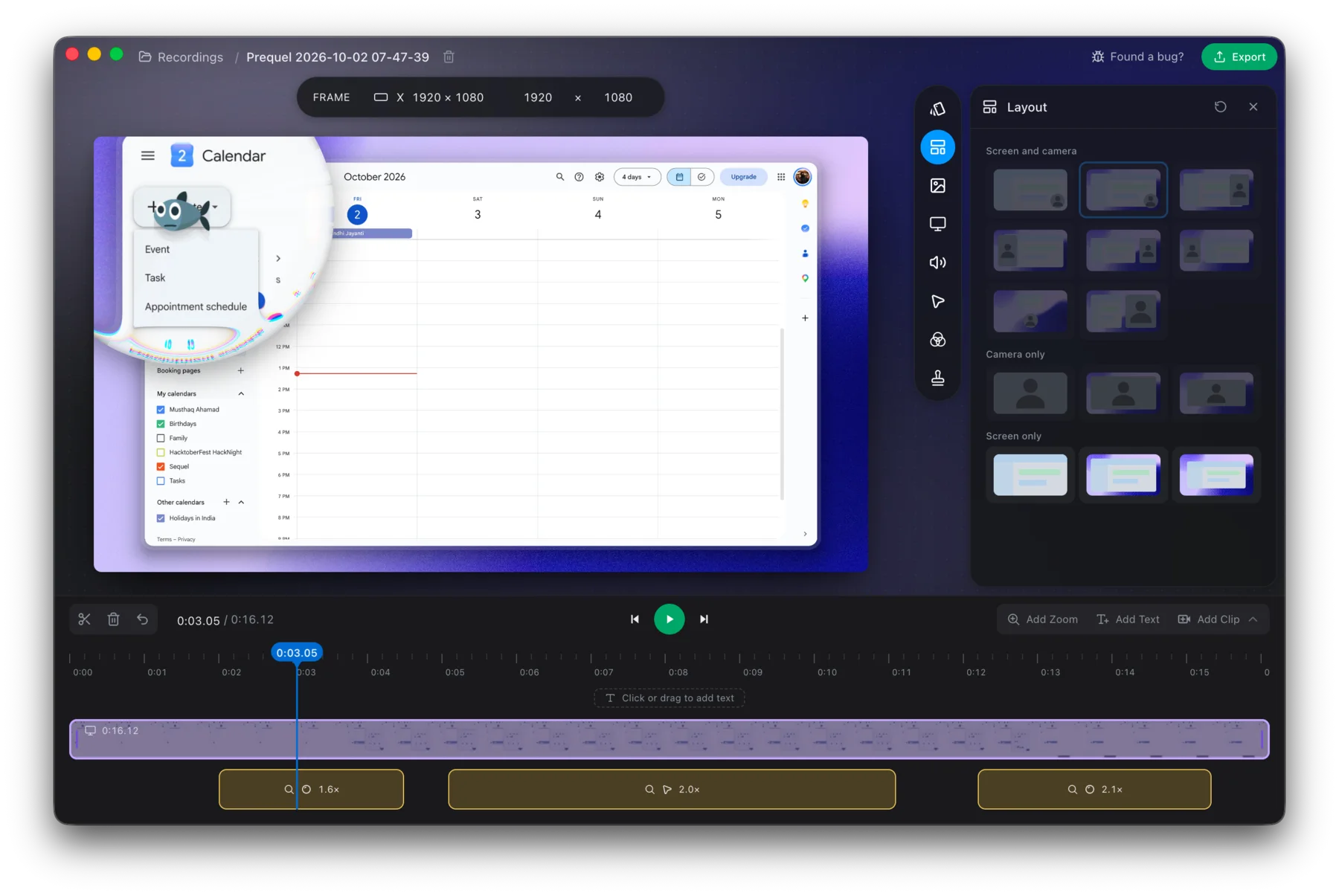
Record something short and see how soon you can start cutting.
Prequel needs an Apple Silicon Mac on macOS 14 or later. Download Prequel for Mac and try it free for 7 days, with no watermark on anything you export. After that it is $9 a month or $29 once. See what it costs.
Frequently asked questions
- Does Tella edit in the cloud?
- Tella's help centre says the editor is a web page that draws your video with your computer's graphics processor through WebGPU. The Mac app records, saves the file to local storage, then uploads it, and the editor works on the uploaded video. Editing is desktop-only.
- What upload speed does Tella need?
- Tella's help centre says the minimum upload speed for reliable use is between 2.5 and 5 Mbps. Tella has a help page titled Why is my video taking so long to upload for when it is slower.
- Can I edit a Tella recording offline?
- Tella's documentation describes no offline editor. The recording is uploaded and edited in a browser, and mobile devices can view videos and record in quick mode but cannot edit.
- What Mac screen recorder edits without uploading?
- Prequel opens its editor on your Mac as soon as you stop recording, on the take you just made, with nothing to upload first. It needs an Apple Silicon Mac on macOS 14 or later, and has a 7-day free trial.
Keep reading
- Why Tella's editor feels slowTella's editor runs in a browser on your graphics hardware and ships a Low-res mode that is on by default. What its help centre says, what users report on Reddit, and how to find out whether it is your Mac or your browser.
- Tella stopped recording: browser storage and disk space limitsTella needs 2 GB of free browser storage to start recording and the desktop apps refuse to start below 512 MB of disk. What each limit is, what happens to the part already recorded, and how to recover a take.
- Can't find your Tella recording: accounts and workspacesTella says a recording that will not open for editing usually means the Mac app and browser are signed in to different accounts, and a missing one usually landed in another workspace. What it says about moving videos and merging accounts.
- Tella export stuck: why it happens and what to tryTella has a help page for an export that gets stuck at a percentage or a download window that never finishes. What it says to try, why re-rendering is the first fix, and how exporting on your own Mac avoids the problem.
- Tella editor won't load: the four errors and what they meanTella's editor shows four named errors when it cannot start. What each means, why Safari needs a newer version for editing than for recording, what a virtual machine does, and what to change.