Why Cap recorded no microphone audio
The microphone meter moved, and the file had no audio. The pattern 19 comments on Cap's issue 1740 found, which modes were affected, the toggle workaround, the maintainer's fix, and how to check before a long take.

You watched the level meter move while you talked, and then the recording had no sound. That is the report on Cap's issue 1740, and it has an unusually clear pattern.
The report
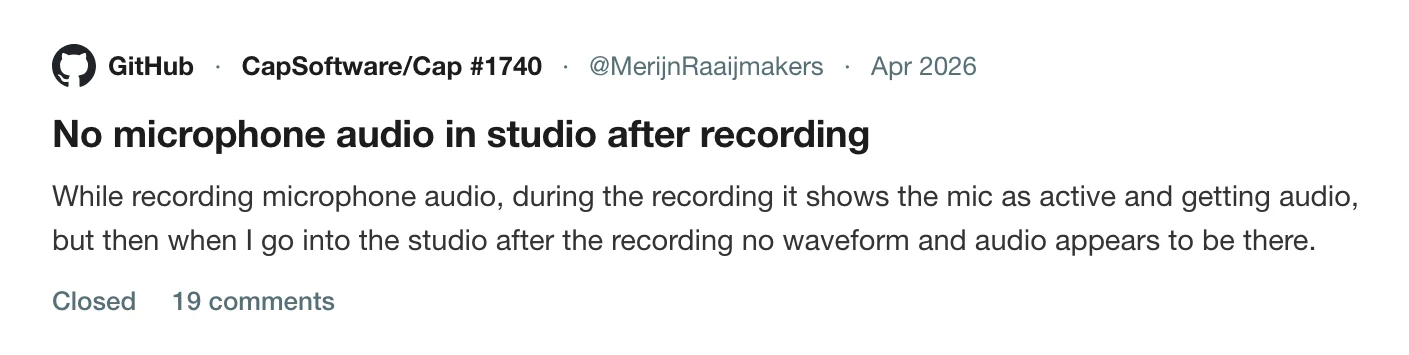
A user wrote in April 2026 that while recording microphone audio, the app showed the microphone as active and receiving sound, but in the studio afterwards there was no waveform and no audio. It happened with more than one microphone.
What the 19 comments found
- The file was missing. One user looked inside the package and found no audio file in
segment-0/, and none mentioned in the recording metadata. - It depended on the mode. The same user found audio worked when recording a window, but not when recording only the camera, an area or a display. Another said it worked in studio mode capturing a screen and failed without one. Their logs showed
has_audio=false. - It could fail on the second take. A user wrote that it seemed to work for the first recording but the second had no audio input, and that they had to toggle the microphone off and on in the interface to make it record again, even when it said it was on.
- You only find out afterwards. "This is super annoying, because you only find out after a long recording session."
- One user gave up. They wrote "Yeah I switched to OBS".
What the maintainer says
A user confirmed on 25 June 2026 that version 0.5.1 appeared to have solved the lost audio problem, and added that system audio does not record in camera-only mode but does in the screen capture modes. On 30 June the maintainer closed the issue: "There should be no audio issues in any of the latest versions."
If you are on an older version, update. If you are on a current one and still see it, the useful thing is a report with logs.
Check before a long take
The lesson is the same on any recorder, because the failure is silent.
- Record 10 seconds in the mode you will use.
- Play it back with sound on.
- Look for the audio waveform in the editor.
- If you use more than one mode, test each, and test a second recording in the same session.
The cost is under a minute. The alternative is learning at the end of an hour.
Related problems from the same tool are in Cap crashed mid-recording, Cap's memory use and Cap export problems, and the other tools' sound problems are in why screen recording audio drifts out of sync. For the wider choice, see the best Cap alternatives for Mac, and for a how-to on the Mac's own sound, record your Mac screen with internal audio.
How Prequel shows you
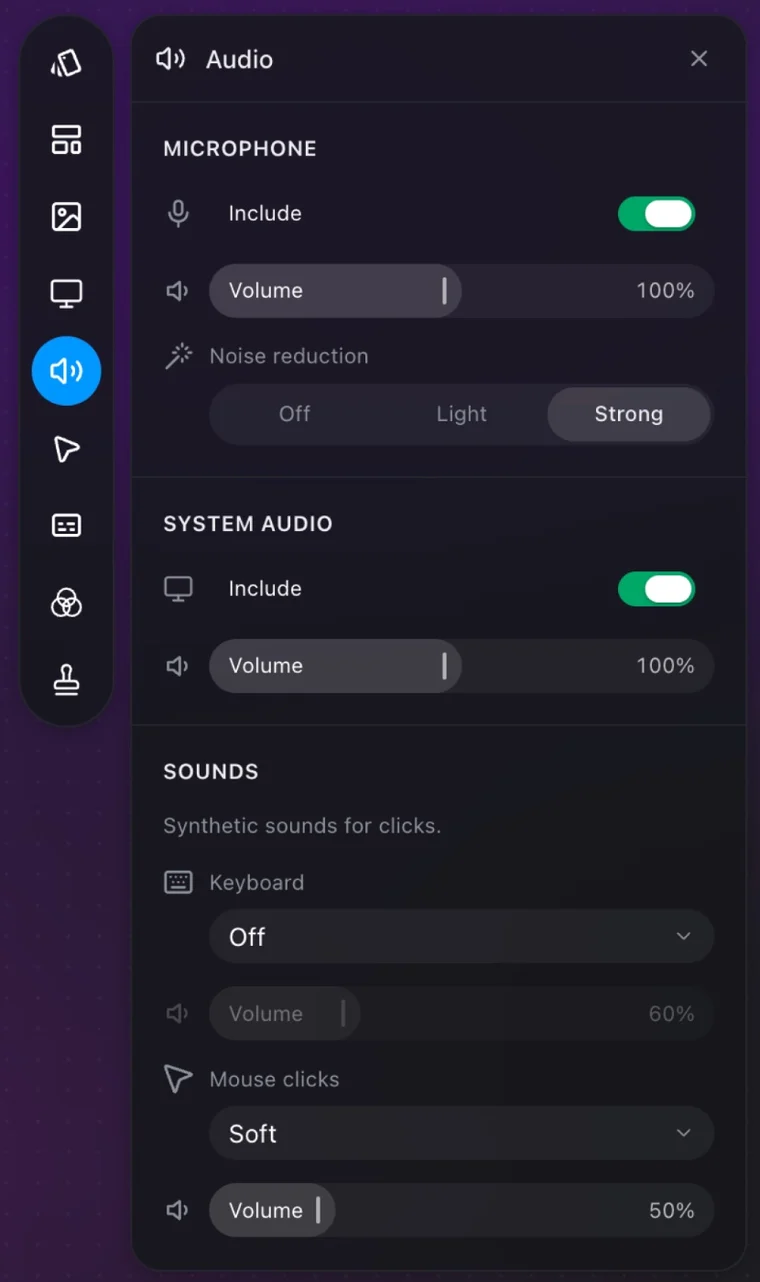
The microphone's icon in the dock fills with the live input level while it is on, so you see it hearing you before you press record. After the take, the editor's Audio panel lists the microphone and the Mac's own sound as separate sources, each with an Include switch and a Volume. If neither was recorded, the panel says there is nothing to mix.
The takes are plain files too: mic.m4a and system.m4a sit in the take folder under ~/Movies/Prequel, so you can check one exists without opening the app. See audio and camera and microphone.
Test your microphone in Prequel before the take that matters.
Prequel needs an Apple Silicon Mac on macOS 14 or later. Download Prequel for Mac and try it free for 7 days, with no watermark on anything you export. After that it is $9 a month or $29 once. See what it costs.
Frequently asked questions
- Why is there no microphone audio in my Cap recording?
- Users on Cap's issue 1740 saw the microphone shown as active during recording and no waveform in the studio afterwards. Reports pointed to camera-only, area and display modes, and to a second recording in a session. Cap's maintainer closed it on 30 June 2026 saying there should be no audio issues in the latest versions.
- How do I know whether Cap recorded my audio?
- Open the .cap package after a test recording and look in segment-0 for an audio file. One user found no audio file there and no mention of one in the recording metadata. Another saw has_audio=false in the logs.
- Does Cap record system audio in camera-only mode?
- A user who confirmed version 0.5.1 fixed the lost-audio problem added that system audio does not record in camera-only mode, but does in the screen capture modes.
- How do I check my microphone is recording before a long take?
- Record 10 seconds, play it back with sound, and check the waveform in the editor. In Prequel the microphone's icon fills with the live level while it is on, and the Audio panel shows the microphone track once the take exists. It needs an Apple Silicon Mac on macOS 14 or later.
Keep reading
- Why Cap uses so much CPU and memory while recordingCap's issue about memory climbing past 5 GB has been open since October 2024 with a $350 bounty. What the maintainers reproduced, three related CPU and heat reports that were closed as reworked, and how to check your own recording.
- Cap crashed mid-recording: what you can recoverCap's WriterFailed crash was reported for months and the maintainer says it was fixed in August 2026. What caused it for different users, what to keep and where the logs are, and how to avoid losing a take.
- Why your screen recording's audio drifts out of syncA fixed delay and a drift have different causes. What Tella, Cap and Screen Charm document about microphone, camera and cursor sync, a clap test that tells the two apart, and what to change.
- Cap's export flickers, or never finishesThree open Cap issues about export: flickering and lag in the exported file, an export stuck at the last frame, and a panic before rendering starts. Which macOS and Cap versions, what users tried, and what is still open.
- Why Cap records what's on top of your windowCap's window capture can record the screen region a window occupies, so another window dragged over it appears in the video. Issue 1754, a user who lost an hour-long workshop, and what Prequel's Window mode records.