How to cancel Cap Pro or the Cap Desktop Licence
Cap has a free plan, a Desktop Licence and Cap Pro. What each costs, what its own site says about cancelling, what it does not document, and what happens to your recordings and shared links. Checked 5 October 2026.

Cap is open source, but it sells things, and its own documentation has nothing on how to stop paying. This page says what is stated and marks what is not. It was checked on 5 October 2026 against Cap's own site and terms.
What Cap sells
- Free: personal use only.
- Desktop Licence: $29 a year per licence, or $58 once for a licence that never renews.
- Cap Pro: $12 per user a month, or $8.16 a month billed annually.
- Add-ons: SAML SSO at $199 a month and a signed BAA at $99 a month, both self-serve.
Dropping to free loses commercial usage rights, not only the cloud features. If you record for clients or a company, free is not a fallback.
Where to cancel
The pricing page says "Cancel anytime". It does not say how, and Cap's documentation covers installation, the quickstart, agents, self-hosting and the commercial licence, but has no page on billing or cancelling.
The one billing address Cap states is the organisation settings in your dashboard, which it labels for managing add-ons. Start there, and look for the plan or subscription controls. I could not verify the menu labels beyond that, so I will not name buttons. If you cannot find a cancel control, email hello@cap.so.
What happens to your recordings
Cap's own wording is the clearest part: "Your recordings are yours forever. If you cancel Pro, existing shares remain active and you can always export everything. Downgrade to our free plan to keep recording locally, or self-host to maintain all features."
Cap does not say whether cancelling takes effect immediately or at the end of the period. The cancel button in every screen recorder compares what each tool does with your videos.
Refunds
There is no refund policy in the terms. They were last updated on 24 April 2024, which is before the current pricing existed, and they contain no billing, cancellation or refund clause. The only termination wording runs the other way: Cap may terminate or suspend your access at any time, with or without cause or notice.
So the promises on the pricing page are the only ones. If a refund matters, ask in writing before you pay, and keep the reply.
Things worth knowing first
- The shareable link on the free plan and the Desktop Licence is limited to five minutes, and only Pro lifts it. The best Cap alternatives for Mac goes through it.
- Self-hosting is the escape hatch Cap itself points to.
- If the reason you want out is reliability, the specifics are in Cap's memory use, Cap crashed mid-recording and Cap export problems.
The same job in other tools
Loom cancels inside Atlassian for many accounts: how to cancel Loom. Screen Studio bills through Lemon Squeezy: how to cancel Screen Studio. Tella's button is in Stripe: how to cancel Tella. All of them side by side.
Prequel's pricing
Prequel is $9 a month, or $29 once. The one-off licence has nothing to renew and nothing to cancel. Exports to your own Mac are never counted and never expire. See pricing.
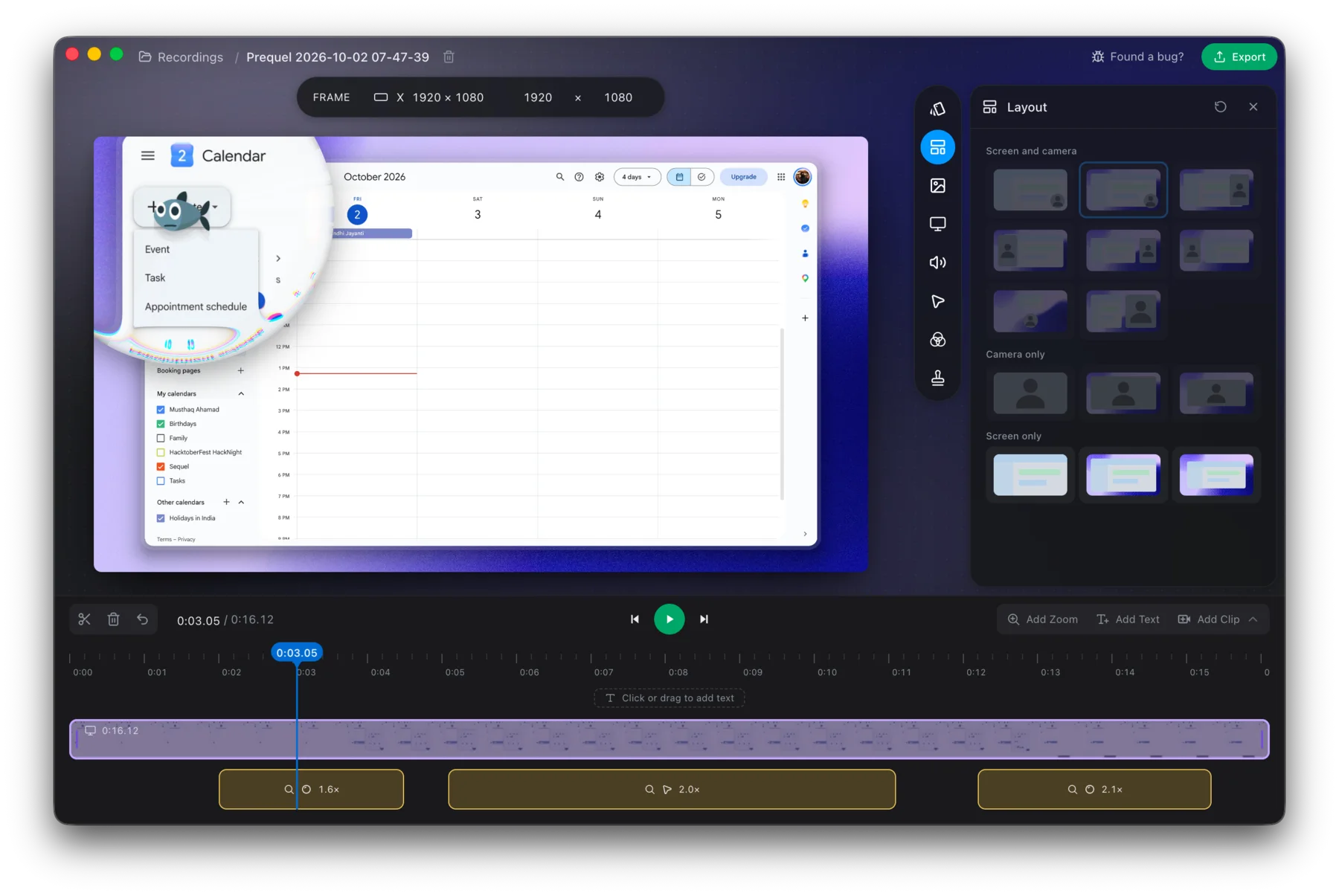
Try it for 7 days with nothing to cancel if you do not keep it.
Prequel needs an Apple Silicon Mac on macOS 14 or later. Download Prequel for Mac and try it free for 7 days, with no watermark on anything you export. After that it is $9 a month or $29 once. See what it costs.
Frequently asked questions
- How do I cancel Cap Pro?
- Cap's pricing page says you can cancel anytime but gives no click path, and its documentation has no billing section. The only billing address it states is the organisation settings in your dashboard, labelled for managing add-ons. If you cannot find it, email hello@cap.so.
- Do my Cap recordings disappear if I cancel Pro?
- No. Cap says your recordings are yours forever, that existing shares remain active if you cancel Pro, and that you can always export everything. It says you can drop to the free plan to keep recording locally.
- Does Cap offer refunds?
- Its terms of service, last updated on 24 April 2024, contain no refund, cancellation or billing clause. The terms say Cap may terminate your access at any time. Any promise about refunds would be on the pricing page, so ask before you pay.
- How much does Cap cost?
- Free for personal use. The Desktop Licence is $29 a year per licence, or $58 once for one that never renews. Cap Pro is $12 per user a month, or $8.16 a month billed annually. SAML SSO is $199 a month and a signed BAA is $99 a month.
- Is there a Mac screen recorder with nothing to cancel?
- Prequel's lifetime licence is $29 once, with no renewal and nothing to cancel. The subscription is $9 a month, after a 7-day free trial with the whole app in it. It needs an Apple Silicon Mac on macOS 14 or later.
Keep reading
- Why Cap uses so much CPU and memory while recordingCap's issue about memory climbing past 5 GB has been open since October 2024 with a $350 bounty. What the maintainers reproduced, three related CPU and heat reports that were closed as reworked, and how to check your own recording.
- Cap crashed mid-recording: what you can recoverCap's WriterFailed crash was reported for months and the maintainer says it was fixed in August 2026. What caused it for different users, what to keep and where the logs are, and how to avoid losing a take.
- Cap's export flickers, or never finishesThree open Cap issues about export: flickering and lag in the exported file, an export stuck at the last frame, and a panic before rendering starts. Which macOS and Cap versions, what users tried, and what is still open.
- Where the cancel button is in every screen recorderLoom cancels in Atlassian, Tella in Stripe, Screen Studio in Lemon Squeezy, and Cap does not say. Where each cancel control lives, when access ends, who refunds, and the one rule that applies to all of them: export first. Checked 5 October 2026.