Tella export limits: 4K, 60 fps and clip length
What Tella's pricing page and help centre say about export: 4K in Pro, 60 fps in Premium, a 6 hour clip limit, a 5 GB upload cap, and a trial that exports at HD and 30 fps. Checked 5 October 2026.

Tella's export options depend on the plan and on whether you are still on the trial. This page puts them together from Tella's own pricing page and help centre, checked on 5 October 2026.
By plan
| Trial | Pro | Premium | |
|---|---|---|---|
| Price | Free for 7 days | $13 per user a month, billed annually | $19 per user a month, billed annually |
| Recording resolution | Up to 4K | Up to 4K | Up to 4K |
| Export | HD at 30 fps | Export in 4K | Export in 4K, and at 60 fps |
| Longest clip | 2 hours | 6 hours | 6 hours |
| Remove Tella branding from video pages | No | No | Yes |
The pricing page offers a monthly option beside the annual one and marks annual as 50% off, so billing monthly costs more than the figures above.
What the table does not spell out
Tella's comparison table shows "Up to 5 mins" beside two of its export rows. In the text the page does not say which plan or which export it applies to, so I will not guess. If 60 fps matters to you, read that table for the plan you are buying.
Other limits
- Clip length: up to 6 hours per clip on every paid plan. Combine clips for longer. Trial clips are capped at 2 hours.
- Uploading your own footage: a paid-plan feature, with a 5 GB cap per file. Larger files need compressing first.
- Cameras: Tella supports one camera at a time.
- Watermark: Tella says it never puts its logo or a watermark on your videos and that exported files are always clean.
What is not a limit
Nothing here is wrong with Tella. It is a per-user subscription, and the plan boundaries are the business model. They sit in places you only reach late: at the export, after the editing is done.
The same pattern is in other tools. Tella has no free plan covers what the trial allows, Screen Studio without a subscription covers export behind a paywall, and Loom's free plan limits covers five minutes. If an export gets stuck, Tella export stuck is the page, and what Tella's editor can't do after you record lists the editing limits. To leave, see how to cancel Tella.
For a wider comparison, see the best Loom alternatives for Mac and the Tella page.
Prequel's export
Prequel has no length cap on a recording and holds nothing back by plan: the trial, the subscription and the lifetime licence are the same app, with no watermark. Export offers MP4 (H.264), HEVC and GIF, and Full, 1080p, 720p or 480p, with the resulting size shown beside the choice. See export and pricing.
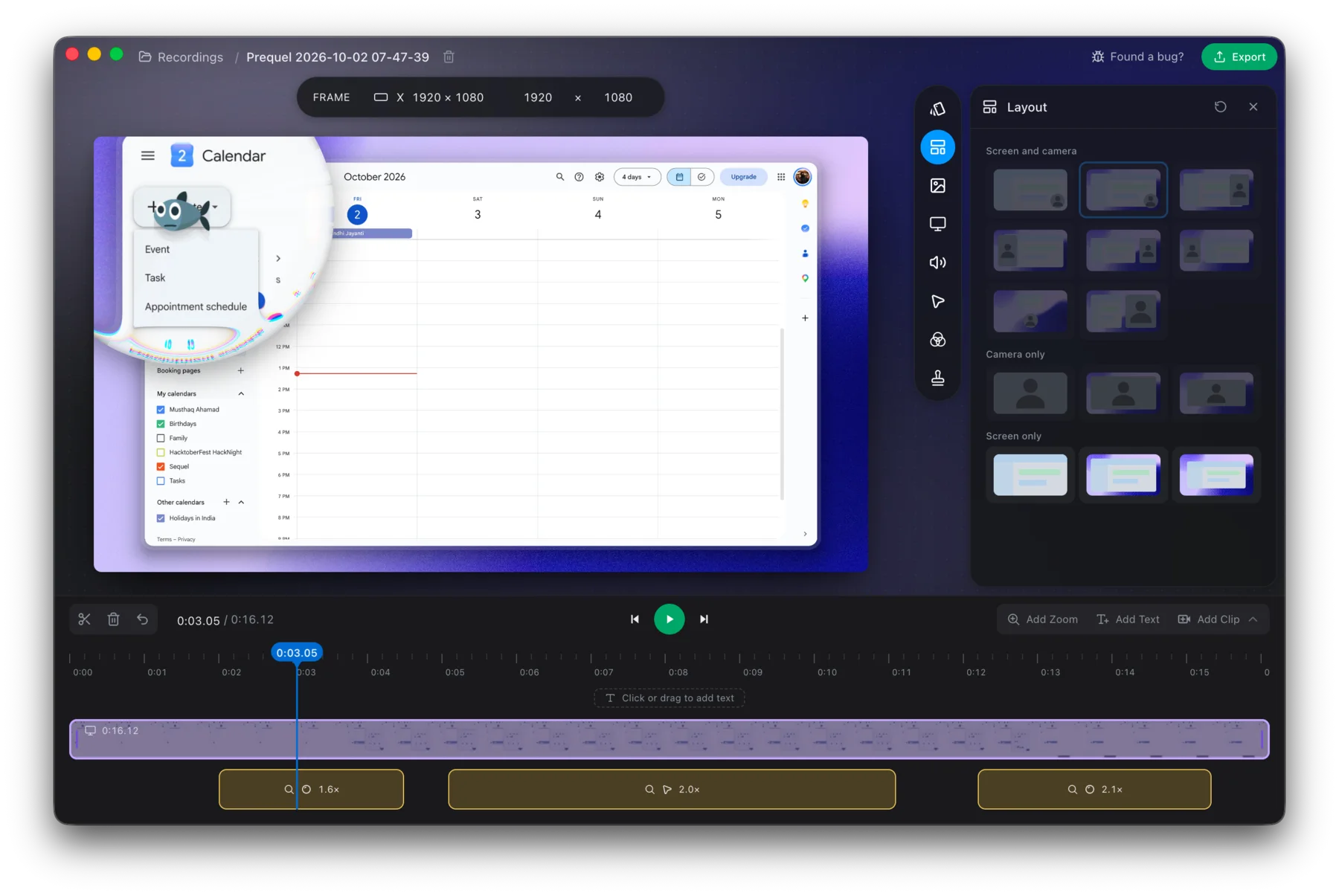
Export at the size you want, without checking a plan table first.
Prequel needs an Apple Silicon Mac on macOS 14 or later. Download Prequel for Mac and try it free for 7 days, with no watermark on anything you export. After that it is $9 a month or $29 once. See what it costs.
Frequently asked questions
- Does Tella export in 4K?
- Yes. Tella's pricing page lists export in 4K under Pro, which is $13 per user a month billed annually, and recording up to 4K on every plan.
- Which Tella plan exports at 60 fps?
- Tella's pricing page lists Export at 60 FPS under Premium, at $19 per user a month billed annually. Its comparison table also shows an Up to 5 mins limit beside some export rows, so read the table for your plan before you buy.
- How long can a Tella recording be?
- Tella's pricing page says one clip can be up to 6 hours, and that you can combine clips for longer. Trial clips are capped at 2 hours.
- What does the Tella trial export at?
- HD at 30 fps, according to Tella's help centre, with trial clips capped at 2 hours.
- Is there a length limit on Prequel exports?
- No. Prequel has no length cap on a recording and nothing held back by plan, with no watermark. It needs an Apple Silicon Mac on macOS 14 or later.
Keep reading
- Tella has no free plan: what to use insteadTella is $13 or $19 per user a month billed annually, after a 7-day trial that exports at HD and 30 fps. What its help centre and pricing page say, why older reviews still mention a free tier, and what else costs nothing to try.
- Tella export stuck: why it happens and what to tryTella has a help page for an export that gets stuck at a percentage or a download window that never finishes. What it says to try, why re-rendering is the first fix, and how exporting on your own Mac avoids the problem.
- What Tella's editor can't do after you recordTella's help centre says you cannot add your screen or camera to a clip afterwards, record a voice-over onto it, or blur the camera background in the editor. Plus a G2 reviewer's note on the exported background, and what Prequel's editor does with tracks.
- How to cancel TellaTella's cancel button is in Stripe, only workspace owners can reach it, and export stops working when the subscription does. Where to click, what the refund policy covers, and why the 30-day notice story is out of date. Checked 5 October 2026.